
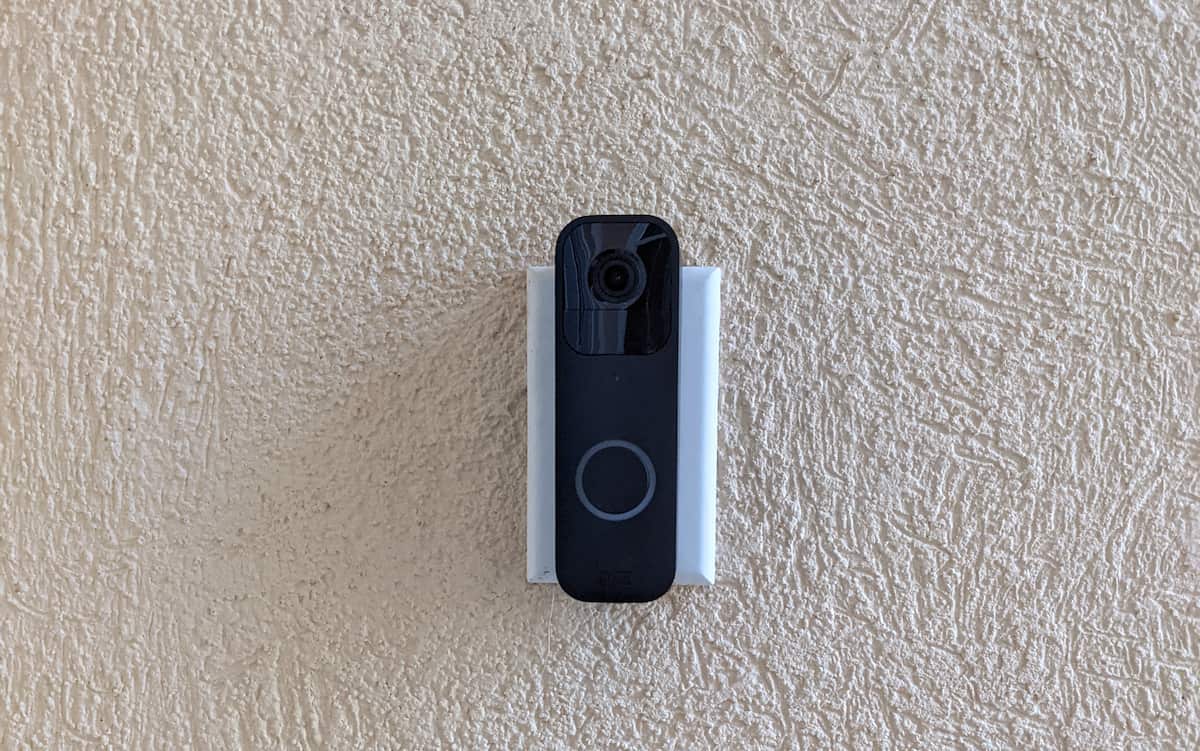
A Blink doorbell mount can fix a poor camera angle, a narrow doorframe, a damaged backplate, or siding that does not provide a flat place to attach the camera. The right choice starts with the doorbell model. A bracket made for the original Blink Video Doorbell may not hold the larger 2025 Video Doorbell (2nd Gen), and neither is automatically compatible with the newer Battery Doorbell 2K+ or Wired Doorbell 2K+.
Quick Answer: Choose your Blink doorbell mount by matching your exact doorbell generation first: use the Pefecon 30 to 55 degree bracket for screwed side-wall aiming, the Gresur corner kit for adhesive aiming on smooth trim, the Satisure clamp for inward-opening apartment doors, the ALLICAVER two-hole plate to repair a broken latch tab on older models, or the generation-specific Hibezos wedge for 4-inch horizontal vinyl siding.
This guide matches six accessories to the mounting problems they solve across our security camera mounts directory. Two of the siding mounts are alternatives for different generations, so most readers will need only one. If you want help setting up the camera or wiring its chime, use a model-specific installation guide; the recommendations here focus on the physical mount.
Best Blink Doorbell Mounts by Mounting Problem
| Mount | Fits / Attachment | Best For |
|---|---|---|
| Pefecon Adjustable Angle Bracket | Blink Video Doorbell (1st Gen and 2nd Gen); screw-mounted 30 to 55 degree left/right swivel | Camera faces the wrong direction on a side wall or wide entry |
| Gresur Adhesive Corner Bracket | Blink Video Doorbell (1st Gen and 2nd Gen); 15, 30, or 45 degree stackable wedges (adhesive or screws) | Angled adhesive installation on smooth, sound trim |
| Satisure Over-Door Security Holder | Blink Video Doorbell (1st Gen and 2nd Gen, excludes 2K+); inward-opening doors 0.8 to 1.9 inches thick | Rental and apartment doors where wall holes are not allowed |
| ALLICAVER Replacement Backplate | Older two-hole Blink Video Doorbell backplate interface; includes replacement release key | Replacing a broken or unlatched original two-hole mounting plate |
| Hibezos Siding Mount (2nd Gen) | Blink Video Doorbell (2nd Gen, 2025); standard 4-inch horizontal vinyl siding profile | Correcting upward tilt on 4-inch horizontal siding (2nd Gen model) |
| Hibezos Siding Mount (2K+ Series) | Blink Battery Doorbell 2K+ or Wired Doorbell 2K+; standard 4-inch horizontal vinyl siding profile | Correcting upward tilt on 4-inch horizontal siding (2K+ models) |
First, Identify Your Blink Doorbell
Blink’s product names are close enough to invite a costly mistake. Check the model name in your order history, on the original box, or in the device information in the Blink app. Then read the accessory listing for that exact name. The phrase “Blink doorbell” by itself is not a compatibility guarantee.
| Doorbell | What to Check | Mounts in This Guide |
|---|---|---|
| Original Video Doorbell (1st Gen) | Older housing and two-hole backplate | Angle, adhesive corner, clamp, and older two-hole replacement plate, subject to listing fit |
| Video Doorbell (2nd Gen, 2025) | Three AA batteries; different body and three-hole plate from the original | Angle, adhesive corner, clamp, and second-generation siding bracket where explicitly listed |
| Battery Doorbell 2K+ and Wired Doorbell 2K+ | Newer 2K+ family; battery and wired models also differ | Only the 2K+ siding bracket below where the seller confirms your exact model |
Important: The seller’s model-specific claim is the starting point, not proof that every variant fits. Match the product photos, camera outline, mounting holes, and wiring access to the camera you own. If a listing calls the 2K+ “third generation,” do not confuse it with the product formally named Video Doorbell (2nd Gen).
Pefecon Adjustable Angle Mount: For a Doorframe Off to One Side
When the doorbell has to sit on a side wall or the outer edge of a wide entry, a fixed bracket may leave the camera watching the wall rather than the walkway. The Pefecon bracket offers a horizontal adjustment range advertised at 30 to 55 degrees. That gives you more range than Blink’s official fixed 25-degree corner mount. Tightening the angle-locking screws after you frame the view should keep the setting from wandering.
Measure the view you need before ordering. A steep angle can bring the wall or trim into the image and may reduce useful coverage on the opposite side. Hold the camera where the bracket will go, open live view, and check where people approach. This accessory is advertised for older Blink doorbells, including the first- and second-generation Video Doorbell. Do not assume the newer 2K+ bodies fit unless the seller updates the specific listing and mounting hardware.
Gresur Adhesive Corner Mount: An Angled Option Without Wall Screws
The Gresur kit tackles a similar left-or-right aiming problem, but its main distinction is the adhesive installation. The seller lists three angle settings spanning roughly 15 to 45 degrees and specifies the original and second-generation Blink Video Doorbells. It is an option when you cannot put holes in smooth, sound trim but still need to aim the camera toward the approach to the door.
Adhesive deserves a realistic check. It needs a clean, flat, suitable surface and curing time according to the kit instructions. Textured brick, rough stucco, loose paint, and a damp or dirty surface are poor candidates. An adhesive bracket is also not a theft-resistant enclosure. If your lease bars holes and the door itself can accept a clamp, the next mount may be a stronger match. If you can use screws, the adjustable Pefecon mount offers a more conventional mechanical attachment.
Satisure Over-Door Holder: For an Inward-Opening Apartment Door
A door-mounted holder avoids drilling the hallway wall or permanent doorframe. The Satisure design encloses the Blink doorbell and grips the edge of an inward-opening door. The seller lists the original and second-generation Video Doorbells and explicitly excludes the newer third-generation Battery Doorbell 2K+. The enclosure adds resistance to casual removal; it is not a promise that the camera cannot be stolen.
Measure your door before buying. The listing calls for a door between about 0.8 and 1.9 inches thick and more than 0.08 inch of clearance at the frame. It excludes outward-opening doors, storm doors, screen doors, and certain security doors. Check that the holder will not scrape the jamb, keep the door from latching, block the lens or motion sensor, or face another door or wall instead of the visitor. If your entry has a storm door, consider where the camera would sit when both doors are closed.
ALLICAVER Backplate: For a Broken Older Mount
If the camera no longer latches onto its original plate, an entire angle bracket will not necessarily solve the problem. This ALLICAVER replacement is a repair part for compatible older two-hole Blink backplates. The kit includes a release key. The listing does not establish a fit for the newer three-hole plates or all current Blink doorbells, so compare its shape and latch position with the part that came off your camera.
Look at the backplate before assuming the wall screws are the problem. A broken plastic retaining tab can let the camera disengage even when the plate is attached tightly to the wall. Conversely, a plate that pulls away from the wall needs the correct anchors and sound mounting material. For a wired installation, turn off the chime circuit before removing the old plate or handling exposed wires, and make sure the replacement leaves the terminals and wires accessible.
Hibezos Siding Mounts: Pick the Version for Your Doorbell
Horizontal vinyl siding creates two problems: its sloped profile points the camera upward, and the thin panel is not a solid anchor by itself. A shaped bracket provides a flatter face and can correct that upward angle. These two Hibezos listings address the same siding problem for different Blink generations. Choose one, not both. Both are sold for standard 4-inch horizontal siding; confirm your panel profile and the screw location before drilling.
For the Video Doorbell (2nd Gen)
The earlier Hibezos siding bracket is listed for the 2025 second-generation Blink Video Doorbell. It is useful when the siding course sits beside the door and there is no broad piece of flat trim. Check the product photos against your siding reveal, then confirm that the wall behind the siding can hold the fasteners. The visible vinyl panel alone should not be treated as the structural anchor. This version should not be assumed to fit the later 2K+ family.
For the Battery Doorbell 2K+ or Wired Doorbell 2K+
The newer Hibezos listing is marketed specifically for the 2K+ generation on standard 4-inch siding. Its angle-corrected shape addresses the slope of the siding rather than giving you a free-moving swivel. Confirm which 2K+ model the current product selection supports, especially if you have the wired version and need a path for existing doorbell wires. Look at the mounting-hole layout in the listing before ordering, since these are distinct cameras even though their names are similar.
When the Included Blink Doorbell Mount Is Enough
If your doorbell goes on flat, solid trim and already frames visitors and packages, start with Blink’s included wall plate. The official accessory range adds a fixed corner mount for horizontal correction and a wedge for a small vertical correction. Those are sensible when you only need a modest shift and want hardware designed around the exact model. The adjustable third-party angle bracket is more relevant for an off-center entry, while a siding bracket solves a surface problem rather than just an aiming problem.
Blink’s installation guidance places the doorbell around 40 to 48 inches above the floor. Before final tightening, use live view to see whether visitors, the walkway, and deliveries are within the frame. If weak wireless signal or hub placement causes lag during live view checks, see our guide on different ways to mount the Blink Sync Module. The useful view depends on your porch shape and the doorbell model. Do a test walk from the approach path, not just a stationary check from immediately in front of the lens.
Questions Before You Drill or Stick
Does a wedge point left or right?
A wedge changes vertical aim. A corner mount changes horizontal aim. Blink describes its official wedge as a 5-degree vertical adjustment and its corner mount as a 25-degree horizontal adjustment. Third-party angles vary, so read the particular listing instead of treating those official numbers as universal.
Can I mount a Blink doorbell on vinyl siding without drilling?
The two siding brackets above correct the panel’s angle, but they are not being recommended as no-drill clips. Their mounting hardware still needs a secure attachment behind the siding. A separate no-drill siding product would need its own confirmed doorbell compatibility and an appropriate siding profile. Do not substitute a Blink Outdoor camera siding clip for a doorbell bracket; those cameras attach differently.
Will a mount for the Video Doorbell (2nd Gen) fit the Battery Doorbell 2K+?
Do not count on it. The 2K+ is a newer family, and several otherwise useful listings above expressly name only the first and second-generation Video Doorbells. Buy by the full product name and check the physical mounting interface, not a vague “Blink compatible” label.
Should I use a solar charger on the doorbell?
We have left a third-party solar power accessory out of these picks. Blink says third-party power solutions are unsupported, and its own solar accessories are listed for particular Outdoor cameras rather than its video doorbells. A power add-on should not be treated as an interchangeable doorbell mount or a guaranteed way to avoid battery changes.
Related Mount Guides
For other Blink cameras, see our guide to mounting a Blink camera on a house. A doorbell uses a different attachment system, so keep those camera brackets separate. You can also compare outdoor security camera mounting options or browse the security camera mounts directory. For the camera itself, read the Blink Video Doorbell (2nd Gen) review at HomeCamCafe.
