
The Wyze Cam lineup has grown from the original v1 through to the current v4, and across all four generations, one thing has stayed consistent: they all use a standard 1/4″-20 threaded mounting hole. That single detail opens up a wide range of third-party mounts beyond the stand that ships in the box. Whether you want a permanent wall install, a weatherproof outdoor setup, a window-facing position with no exterior wiring, or a quick no-drill placement, there is a mount built for it. This guide covers the best options for Wyze Cam v1 through v4.
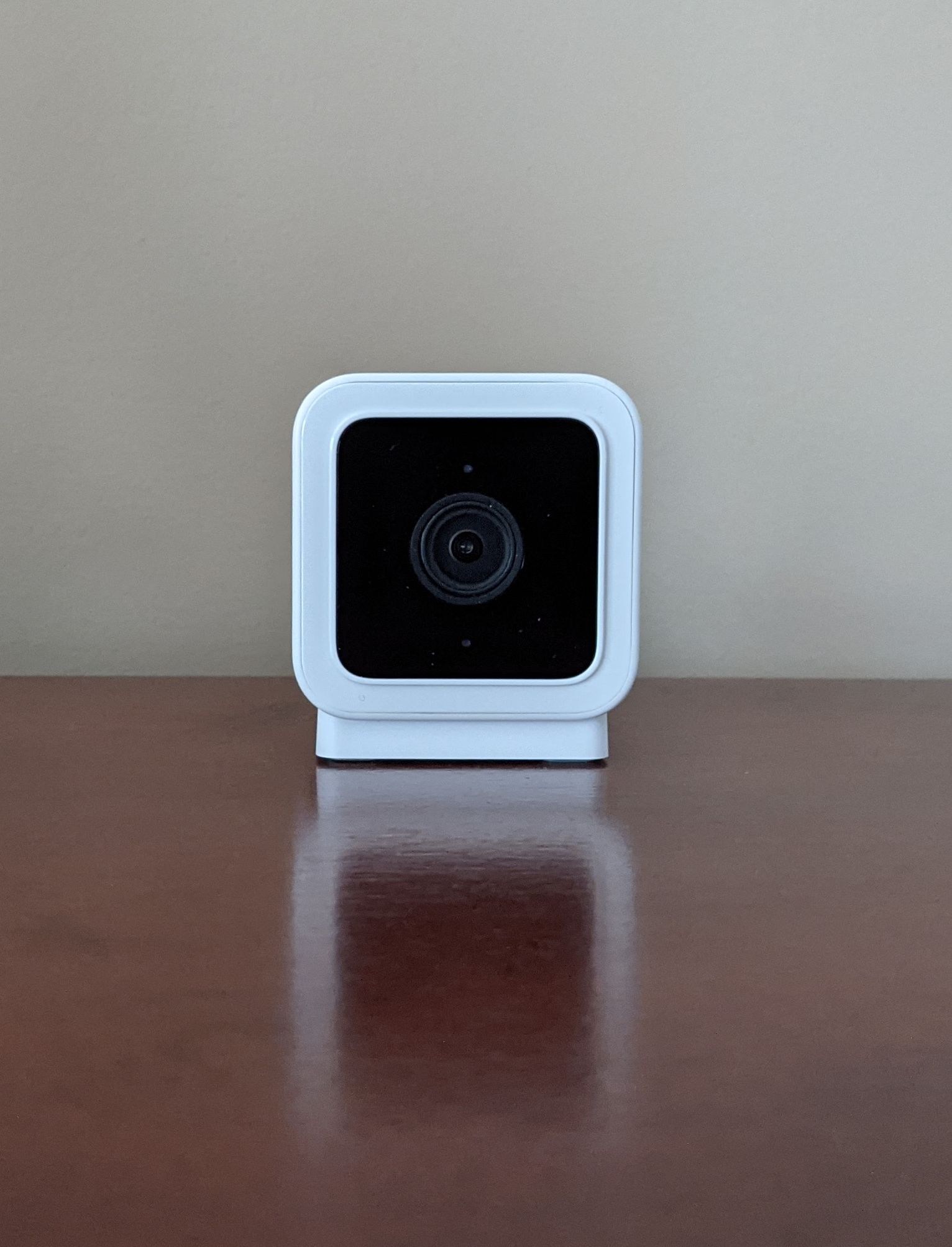
Wyze Cam Generations and What Changed for Mounting
The four generations of the Wyze Cam share the same 1/4″-20 thread but differ in important ways that affect where and how you can mount them.
The v1 and v2 are indoor cameras. They were never rated for outdoor exposure, and mounting them outside, even under an eave, will eventually damage them. Both use a magnetic base that snaps to the included metal stand, and the 1/4″-20 thread is accessible once that stand is removed. Third-party wall mounts work fine indoors on either model.
The v3 was the first outdoor-capable Wyze Cam, adding an IP67 weather rating, color night vision via a Starlight sensor, and a spotlight. It can be mounted outdoors permanently. The v4 stepped up to 2.5K resolution, added AI detection, and brought a brighter spotlight. Both v3 and v4 work with the same third-party mounts and the same official Wyze accessories.
The 1/4″-20 Thread: What It Unlocks
On the v1 and v2, the mounting thread is located on the bottom of the camera, hidden under the magnetic stand. Remove the stand and the thread is exposed. On the v3 and v4, the thread is on the bottom of the camera body and is the primary attachment point for any third-party bracket.
This is a universal camera thread, the same standard used by tripods, DSLR cameras, and the majority of security camera mounts. Any bracket or mount with a 1/4″-20 screw post will connect directly to the camera, giving you access to wall mounts, ceiling brackets, window mounts, weatherproof enclosures, and more. You are not limited to Wyze-branded accessories.
Wyze Cam Mount Comparison
| Mount | Best For | Models |
|---|---|---|
| FastSnail 2-Pack Wall Mount | Permanent indoor or outdoor wall/ceiling install | All models |
| Vinyl Siding Camera Mount | No-drill siding install, adjustable angle | v3, v4 (1/4″-20 compatible) |
| Wyze Official Window Mount | Indoor window monitoring without exterior wiring | v3, v3 Pro, v4, OG |
| Wyze Official Mounting Kit | No-drill adhesive or screw wall install | v3, v4 |
FastSnail 2-Pack Wall and Ceiling Mount
The FastSnail bracket is the most broadly compatible third-party mount for the Wyze Cam lineup. It lists the v3, v4, Wyze Cam Outdoor, and Wyze Cam Pan as confirmed compatible models, making it a practical choice if you are running multiple cameras across different generations and want a consistent mounting solution throughout. The construction combines metal and ABS plastic with a large 6.9cm base that distributes load across the mounting surface for a stable hold.
The head swivels 360 degrees and tilts 90 degrees, and the two-piece design lets you adjust the camera angle independently of the base after the mount is already drilled to the wall. It comes in a two-pack with screws and wall plugs included, covering both installation points from a single purchase. This is the right pick for a reliable drilled wall mount that works across the widest range of Wyze Cam models.
Vinyl Siding Camera Mount for v3 and v4 (No Drill)
For homes with vinyl or aluminum siding, this adjustable siding mount is the cleanest no-drill outdoor option. It hooks directly into the seam between siding panels without screws, adhesive, or tools of any kind. The camera attaches via the standard 1/4″-20 thread, and the mount provides 360-degree rotation and 90-degree tilt so you can set the coverage angle precisely after installation.
The bracket is built from weatherproof materials suited for permanent outdoor exposure. Because it clips into the siding seam rather than anchoring to a single fixed point, it can be repositioned along the wall without leaving any marks. This is the pick for siding-clad homes where drilling into the exterior is off the table, and for renters or anyone who wants the flexibility to move the camera seasonally. It works with the v3 and v4 via the standard 1/4″-20 thread.
Wyze Official Window Mount for v3, v4, and OG
The official Wyze Window Mount is one of the most practical accessories in the Wyze ecosystem and one of the most underused. It attaches to the inside surface of a window using a suction-style base, holding the camera flush against the glass so it can monitor the outside without any exterior wiring, drilling, or outdoor hardware. It covers the v3, v3 Pro, v4, and Wyze Cam OG.
The mount eliminates glare and reflection from the glass, which is the primary issue with placing a camera behind a window without a dedicated mount. You do need to disable night vision mode in the Wyze app when using this setup, because the infrared LEDs will reflect off the glass and wash out the image at night. The v3 and v4 both support color night vision using the Starlight sensor, which captures usable footage in low light without infrared, so disabling night vision mode does not mean losing coverage after dark as long as there is some ambient light outside.
For renters, for temporary setups, or for anyone who wants to monitor a driveway or front yard without running cable through exterior walls, this is the cleanest solution available. It has over 6,000 ratings on Amazon and is one of the most reviewed Wyze accessories on the platform.
Wyze Official Mounting Kit for v3 and v4
The official Wyze Mounting Kit is the simplest no-drill option for the v3 and v4. It includes a metal wall plate, a 5-foot USB extension cable, and adhesive tape. The plate attaches to the wall using either the 3M adhesive pad on smooth surfaces like glass, tile, or painted drywall, or a screw for a more permanent hold on wood or standard drywall. The magnetic base of the camera then snaps to the plate and holds securely, including upside-down for ceiling installs.
The 5-foot extension cable is a practical inclusion. Combined with the camera’s original 6-foot cable, it extends total reach to 11 feet, which is enough to cover most corner and high-wall placements without needing a separate cable extension. This kit works for v3 and v4 only; it is not compatible with the Pan models or older v1/v2 cameras. For a straightforward, low-profile no-drill install, this is the cleanest option Wyze makes.
Outdoor Mounting Tips for v3 and v4
Height between 8 and 10 feet covers most residential entry points and gives the camera a downward angle that captures faces and body detail at a useful distance. Mount higher and you start losing facial recognition range; mount lower and the camera is within reach of someone who wants to redirect or remove it.
Soffit and eave mounting is the best of all worlds outdoors: the overhang keeps direct rain off the camera and lens, you get a natural downward angle covering the area below, and cable management is easier because the cable can run into the attic or wall cavity. The FastSnail or PEF bracket both work well in this position.
For exterior walls with vinyl or aluminum siding and no desire to drill, the siding mount above is the right call. It clips into the panel seam and holds firmly without any wall penetration, and it can be repositioned if you want to adjust coverage later.
Cable security matters outdoors. A loose power cable that can be pulled will pull the camera with it. After mounting, route the cable against the wall surface with clips or conduit and secure it at two or three points above the mount. This also prevents the cable from swinging in wind and creating wear at the connection point.
For other Wyze camera models, our Wyze Cam Pan mounting guide and Wyze Cam Outdoor mounting guide cover those models in detail. For a broader look at outdoor mounting hardware across brands, see our best outdoor security camera mounts roundup.
Frequently Asked Questions
Do all Wyze Cam models use the same mounts?
All four generations use a standard 1/4″-20 threaded hole, so they are physically compatible with the same third-party brackets. The key exception is outdoor use: only the v3 and v4 have weather ratings that allow permanent outdoor installation. Do not mount a v1 or v2 outdoors regardless of mount type.
Can I mount a Wyze Cam on a ceiling?
Yes. Any of the wall mounts above can be used on a ceiling. For v3 and v4, the image can be flipped 180 degrees in the Wyze app to display correctly when the camera is mounted upside down. Go to camera settings and enable Rotate Image 180°.
Can I use the Wyze Window Mount with double-pane glass?
The official Wyze Window Mount is designed for single-pane glass. Double-pane windows have an air gap between the panes that creates a distance between the camera and the outer glass surface, which introduces glare and distortion. Single-pane windows work well; double-pane windows do not.
Does the official Wyze Mounting Kit work outdoors?
The Wyze Mounting Kit is rated for indoor use. The adhesive pad is not intended for outdoor exposure and the metal plate may corrode over time. For outdoor installs, use the FastSnail bracket for a drilled installation, or the vinyl siding mount for a no-drill siding option.
Is the 1/4″-20 thread on the v1 and v2 in the same location as the v3 and v4?
On the v1 and v2, the thread is under the magnetic stand on the bottom of the camera body. Remove the magnetic stand to access it. On the v3 and v4, the thread is on the bottom of the camera and is the primary mounting attachment point. The location is the same on all models; the v1 and v2 just require removing the stand first.
