
An aviation iPad mount needs to do more than hold a tablet securely. In a small aircraft, the mount must keep the screen visible and accessible without interfering with flight controls, blocking important instruments, or obstructing the pilot’s view outside. Yoke mounts, suction mounts, and kneeboards can all work well, but the best choice depends on the aircraft, tablet size, and cockpit layout.
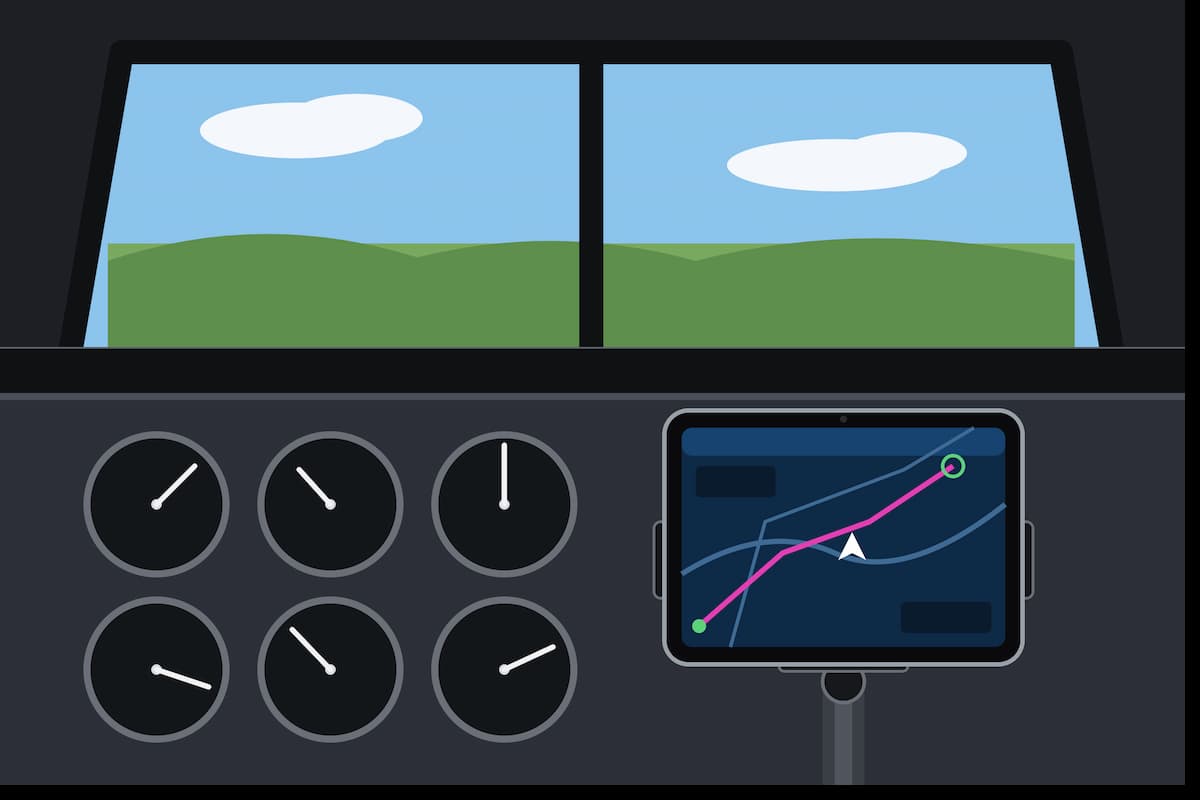
For pilots using ForeFlight, Garmin Pilot, or another electronic flight bag (EFB) application, mounting location can be just as important as the tablet itself. Charts, airport diagrams, weather information, traffic displays, and checklists all need to remain accessible without becoming a distraction. A well-positioned mount helps accomplish that while preserving the pilot’s normal instrument scan and freedom of movement.
We’re comparing five aviation mounting systems from RAM Mounts, FlightPro, and MYGOFLIGHT. The choices include dedicated iPad Mini mounts, a versatile yoke holder that also accommodates phones and larger tablets, a multi-position mounting kit, and a kneeboard. We’ll also explain how to choose the proper configuration, prevent overheating, and evaluate mounting safety before flying.
Best Aviation iPad Mounts at a Glance
These five products cover different mounting requirements rather than simply offering five variations of the same holder. Some are complete yoke-mounted kits, one uses a suction base, and another keeps the tablet on the pilot’s leg. The table below summarizes the differences and links directly to each product on Amazon.
| Aviation iPad Mount | Best For | Mounting Style | Main Consideration |
|---|---|---|---|
| FlightPro ProAviator | Phones and compatible iPads | Yoke clamp | Device and case fit |
| RAM X-Grip Mini Yoke Mount | iPad Mini | Yoke clamp | For 7–8-inch tablets |
| FlightPro 3-in-1 Mount | Multiple configurations | Yoke, suction, kneeboard | Mounting flexibility |
| RAM X-Grip Mini Suction Mount | iPad Mini window mounting | Suction cup | Surface and sightline |
| MYGOFLIGHT Folio C | Large-tablet kneeboard use | Leg strap | Exact Folio version and fit |
A universal yoke holder makes sense for pilots who may change devices, while a tablet-specific RAM kit provides a more focused solution. A suction mount can keep the tablet off the flight controls, and a kneeboard eliminates the need for an aircraft attachment altogether. The sections below explain where each product fits.
1. FlightPro ProAviator: Best Versatile Aviation Yoke Mount
The FlightPro ProAviator Yoke Mount is our leading recommendation for pilots who want the flexibility to use different devices. Unlike a holder intended exclusively for one tablet size, the ProAviator is designed to accommodate compatible smartphones, iPad Minis, and full-size iPads. That makes it particularly appealing for pilots who alternate between a phone and tablet or expect to upgrade their device.
The ProAviator attaches to the aircraft yoke and provides adjustable positioning for the screen. Its mounting arrangement supports changes in viewing angle and device orientation, allowing the pilot to position charts, checklists, and other EFB information where it can be accessed comfortably. This flexibility is useful because cockpit layouts vary considerably between aircraft.
One of the product’s strengths is that a pilot may not need a different mounting system when switching devices. Someone using a smartphone today could move to an iPad Mini or compatible full-size iPad without replacing the entire mount. That is a practical advantage over holders designed around a narrow tablet-size range.
The important consideration is the complete device fit. Full-size iPads vary in dimensions, and protective cases can add considerable thickness. Compatibility depends on how the holder grips the tablet, not simply the advertised screen diagonal. Check the specific iPad model and case against the manufacturer’s supported configurations rather than relying on one grip measurement taken out of context.
Mounting considerations: The ProAviator places the tablet and mounting hardware directly on the aircraft yoke. A full-size iPad adds more weight and occupies more space than a smartphone, so control clearance and instrument visibility are especially important. The mount should remain secure throughout the full range of control movement without contacting the panel, pilot’s legs, or other equipment. Bottom line is to ensure you have a safe setup.
2. RAM X-Grip: Best Dedicated iPad Mini Yoke Mount
For pilots using an iPad Mini, the RAM-B-121-UN8U offers a complete yoke-mounted system built around smaller tablets. It combines RAM’s spring-loaded X-Grip holder for 7-inch to 8-inch tablets, a medium double-socket arm, and an adjustable yoke clamp. The result is a modular mounting arrangement designed to keep a compact tablet near the pilot’s normal instrument scan.
RAM lists compatibility with multiple generations of the iPad Mini, including the Mini 6 and Mini with the A17 Pro chip. The tablet holder accommodates device widths from approximately 2.5 to 5.75 inches and depths up to 0.875 inch. Those measurements should include the protective case because a thick case can change the fit considerably.
The yoke clamp supports rails measuring approximately 0.625 to 1.25 inches in diameter. RAM uses its B-size 1-inch ball-and-socket system, allowing the arm and holder to be repositioned or exchanged for other compatible components. That modularity is one of RAM’s biggest advantages, especially for pilots who already own mounting hardware from the company.
The smaller iPad Mini is also useful in compact cockpits where a full-size tablet could obscure instruments or interfere with the controls. The Mini provides enough screen area for many EFB tasks without occupying as much space. The mount’s adjustable arm allows the display to be moved closer to or farther from the yoke within the available clearance.
Mounting considerations: This is a dedicated smaller-tablet solution, not a universal mount for standard 10-inch or 11-inch iPads. Pilots using larger models should choose an appropriately sized holder. The yoke clamp and tablet must also be positioned so that the complete assembly cannot interfere with flight-control movement.
Why RAM Arm Length Matters
The arm connecting the yoke clamp to the tablet holder affects both positioning and mechanical leverage. A longer arm provides additional reach, but it also moves the tablet farther from the mounting point. This can increase leverage on the clamp and make unwanted movement more noticeable. A shorter arm keeps the device closer to the yoke and is often preferable when it provides enough clearance.
RAM’s modular system allows pilots to select different components rather than replacing the entire mount. Our RAM arm size guide explains the differences between short, standard, and long arms. For a broader explanation of ball sizes and component compatibility, see our complete RAM Mounts guide.
Another useful resource is our RAM X-Grip holder size guide, which explains the different X-Grip models and why a holder designed for one device category should not automatically be used with another.
3. FlightPro 3-in-1: Best Multi-Position Aviation iPad Mount
The FlightPro 3-in-1 Aviation iPad Mount is designed for pilots who want several ways to position a tablet without buying a completely separate system for each location. The kit provides yoke mounting, suction mounting, and kneeboard configurations, giving the pilot more options when deciding where the electronic flight bag should sit.
That flexibility is useful for pilots who fly different aircraft. A yoke mount may work well in one cockpit, while another aircraft might offer a better viewing position on a suitable side window. When neither aircraft-mounted position is practical, the kneeboard configuration provides an alternative without attaching hardware to the yoke or glass.
The manufacturer advertises support for a range of tablet sizes, including larger iPad models. The actual fit still depends on the tablet’s dimensions, installed case, and how the holder engages the device. This is especially important for larger tablets, since the mounting system must support the complete weight and remain secure in the intended orientation.
The three mounting methods also have different limitations. A yoke configuration adds weight to the flight controls. A suction configuration requires a compatible surface and a clear outside sightline. A kneeboard positions the screen lower and may require the pilot to look down more frequently. These differences make the kit flexible, but they do not mean that all three configurations will be suitable in every aircraft.
Mounting considerations: The FlightPro 3-in-1 makes the most sense when you expect to use more than one mounting position. If you have already determined that a specific yoke mount provides the ideal location in your aircraft, a dedicated mounting kit may be the simpler solution.
4. RAM X-Grip Suction Mount: Best iPad Mini Window Mount
A suction mount is an alternative for pilots who want to keep additional equipment off the aircraft yoke. The RAM-B-166-UN8U is a complete suction-mounted X-Grip system designed for 7-inch to 8-inch tablets, including compatible iPad Mini models. It includes the tablet holder, adjustable socket arm, and RAM Twist-Lock suction base.
The system uses a 3.3-inch suction cup designed for smooth, nonporous surfaces. The suction base connects to RAM’s 1-inch B-size ball-and-socket system, allowing the tablet to be angled and repositioned. Unlike buying a standalone suction base, this kit provides the main components needed for the mounting arrangement.
In aircraft with suitable side-window space, a suction mount may allow the tablet to sit away from the yoke while remaining visible and within reach. This keeps the combined weight of the iPad and hardware off the flight controls, which can be a meaningful advantage when the yoke already has limited clearance.
The main concern is choosing the mounting location. A tablet positioned on a window can obstruct outside visibility, and some aircraft have limited usable glass area. The suction cup also needs a suitable surface, and the window’s shape, coatings, and condition can affect attachment. A mount that works well on automotive glass is not automatically suitable for every aircraft window.
Mounting considerations: Keep the cup and mounting surface clean, inspect the seal regularly, and avoid mounting the tablet where it blocks critical outside visibility or cockpit equipment. The holder is intended for smaller tablets, so this is not the correct RAM suction kit for a standard full-size iPad. Never block your line of site.
If you encounter a cup that repeatedly loses its grip, our suction cup troubleshooting guide explains how dirt, surface conditions, aging rubber, and other factors affect suction performance.
5. MYGOFLIGHT Folio C: Best Aviation iPad Kneeboard
Not every pilot wants to attach a tablet to the aircraft. A kneeboard provides an alternative by holding the iPad on the pilot’s leg instead of using a yoke clamp or suction cup. This can be especially useful in cockpits with limited mounting space or where the pilot prefers equipment that can be moved between aircraft without relying on a particular attachment point.
The MYGOFLIGHT Folio C combines a tablet holder with a folio-style design, leg strap, and features intended for cockpit use. The arrangement allows the tablet to be positioned for viewing while providing additional functionality for notes and other materials. It is a different approach from the RAM and FlightPro yoke-mounted systems because the hardware is supported by the pilot rather than the aircraft.
MYGOFLIGHT produces different Folio configurations for different tablet sizes. This distinction matters because a holder designed for a larger iPad may not retain an iPad Mini correctly, while a compact kneeboard may not accommodate a larger iPad Pro. Select the exact version corresponding to the intended tablet and protective case.
The main advantage is that no yoke or window attachment is necessary. A kneeboard also travels easily between aircraft and can be convenient for pilots who rent airplanes or regularly use different cockpit layouts. However, it places the screen lower than a yoke mount, so the pilot generally needs to look downward to access information.
Mounting considerations: A large tablet can occupy considerable legroom, and the kneeboard must not interfere with the controls, seat position, or access to emergency equipment. Make sure the leg strap is secure and that the tablet remains stable throughout normal movement.
Yoke Mount vs. Suction Mount vs. Kneeboard
The mounting method often has a greater effect on the installation than the brand. Each approach places the tablet in a different position, changing how frequently the pilot needs to move their head, how much space the device occupies, and what potential interference must be evaluated.
| Factor | Yoke Mount | Suction Mount | Kneeboard |
|---|---|---|---|
| Typical position | Near instrument panel | Window or smooth surface | Pilot’s leg |
| Weight on yoke | Yes | No | No |
| Main visibility concern | Obstructing instruments | Blocking outside view | Looking downward |
| Primary fit issue | Yoke diameter and clearance | Surface and retention | Tablet size and legroom |
| Moving between aircraft | Usually possible | Usually possible | Generally easiest |
For an aircraft with a suitable yoke attachment point, a yoke mount can keep the tablet close to the pilot’s normal instrument scan. A suction mount provides additional positioning choices without adding weight to the controls, but the window and outside sightline must remain usable. A kneeboard avoids aircraft-mounted hardware, although its lower screen position may be less convenient for frequent viewing.
Choosing Between an iPad Mini and a Full-Size iPad
Tablet size should be considered before choosing the mount. An iPad Mini is easier to accommodate in many compact cockpits because it occupies less space and generally requires lighter mounting hardware. A full-size iPad offers more screen area for charts, airport diagrams, and other EFB applications but also creates additional demands on the mounting arrangement.
The RAM yoke and suction kits featured here are designed specifically for the smaller 7-inch to 8-inch tablet category. They are useful for compatible iPad Mini models but should not be selected for a standard full-size iPad. FlightPro’s broader device compatibility makes its products more relevant when larger tablets or smartphones are involved.
Screen size is only part of the decision. Tablet weight, thickness, protective case dimensions, and available cockpit clearance all matter. A large tablet on a long mounting arm can occupy substantially more space and place greater leverage on the attachment point than a compact Mini mounted close to the base.
For additional background on tablet holder styles and fitment, see our tablet mounts guide. It covers the major holder types and explains why matching a cradle to the actual device dimensions is more reliable than shopping by screen size alone.
Preventing iPad Overheating in the Cockpit
Even the most secure aviation iPad mount cannot prevent a tablet from overheating. Direct sunlight, high ambient temperatures, charging, screen brightness, and extended navigation use can contribute to heat buildup. Apple specifies an operating ambient temperature range of approximately 32°F to 95°F for current iPads, and an aircraft cockpit exposed to direct sunlight can exceed that range.
When an iPad becomes too hot, it may reduce screen brightness, limit charging, or temporarily become unavailable until it cools. This is particularly inconvenient when the tablet is being used as an electronic flight bag. Choosing a mounting location that minimizes direct sunlight can help, although it must never compromise visibility or control clearance.
X-naut Pilot Series Cooling Cases
X-naut manufactures actively cooled cases designed for aviation tablet use. These products use fans to move air around the device, helping manage heat buildup in sunny cockpits. They can be especially useful for pilots who have experienced thermal shutdowns during extended use or in aircraft with limited cabin cooling.
A cooling case is an accessory rather than a substitute for an aviation mounting system. Different X-naut versions are designed for different iPad generations, so compatibility with the tablet and any mounting hardware must be established. Active cooling also introduces power requirements and potentially additional cables, which should be routed away from flight controls.
How to Install an Aviation iPad Mount Safely
Correct installation matters more than the brand printed on the hardware. A holder may grip the tablet securely but still be unsuitable if its location blocks an instrument, restricts control movement, or interferes with cockpit equipment. Before relying on any mounting arrangement, evaluate the complete installation while the aircraft is parked.
1. Check the Mounting Point
For a yoke mount, measure the shaft or intended attachment location and confirm that the clamp fits properly. The mounting hardware should engage securely without damaging the yoke or contacting nearby controls. For suction systems, choose a clean, smooth, compatible surface with enough room for the cup, arm, and tablet.
With a kneeboard, confirm that the strap holds the tablet securely and does not interfere with seating or leg movement. The pilot must still be able to operate all required controls without restriction.
2. Install the Tablet and Check Retention
Fit the tablet into the holder with the protective case that will be used during flight. Make sure the retaining arms, clips, or gripping mechanisms engage correctly and that the holder does not press buttons or obstruct important connections. A universal holder should not be forced around a device outside its specified dimensions.
If the manufacturer provides a retention tether or other secondary securing method, follow the instructions for that component. The tether should not introduce another hazard by hanging near controls or interfering with access to cockpit equipment.
3. Verify Control Clearance and Visibility
With the aircraft stationary and using appropriate procedures, check the complete range of flight-control movement. Pay attention to the yoke or stick, throttle and mixture controls, switches, and other equipment that must remain accessible. A yoke-mounted tablet may look properly positioned while centered but contact the instrument panel or pilot’s legs when the controls are moved.
Check the pilot’s view of primary instruments, annunciators, and the outside environment. The display should be readable without blocking information essential to operating the aircraft. The best viewing position may require several small adjustments to the mounting arm before the installation is satisfactory.
4. Secure Charging and Accessory Cables
Power cables should be routed away from moving controls, pedals, and levers. Leave sufficient slack where movement is necessary, but avoid loose loops that could become entangled. Check that connectors remain accessible and that the tablet has sufficient battery capacity for its intended use if external power becomes unavailable.
Magnetic Mounts and Aircraft Compasses
Magnetic phone and tablet mounts are common in automobiles, but aircraft cockpits introduce another consideration: the magnetic compass. Traditional aircraft compasses can be influenced by permanent magnets, nearby electrical equipment, ferrous materials, and wiring. Such interference can create compass deviation, affecting the indicated heading.
There is no universal separation distance that guarantees a magnet will not affect a compass. Magnet strength, compass location, and the surrounding aircraft configuration all matter. If a magnetic mounting system is being considered, its potential effect on aircraft instruments should be evaluated rather than assuming that a particular distance is safe.
For many cockpit installations, a conventional mechanical tablet holder is a practical alternative to magnetic mounting hardware. This is especially relevant when the proposed mounting location is close to the aircraft’s magnetic compass.
FAA Guidance for Electronic Flight Bags and Mounting Hardware
The Federal Aviation Administration provides guidance on electronic flight bags, including portable devices such as iPads used for charts, flight planning, and other aviation applications. The applicable guidance depends on the type of flight operation and whether the equipment is portable or permanently installed.
For typical general aviation operations under Part 91, FAA Advisory Circular 91-78A, Use of Electronic Flight Bags, provides guidance for using electronic information in place of paper materials. The advisory circular is not itself a regulation and does not remove the pilot’s responsibility to comply with applicable aircraft equipment and operating requirements.
For operations under Part 91 Subpart K, Part 121, Part 125, and Part 135, FAA Advisory Circular 120-76E, Authorization for Use of Electronic Flight Bags, addresses additional operational requirements and EFB authorization programs.
Mounting hardware can also raise separate installation and airworthiness considerations, particularly when equipment is permanently attached to aircraft structure or connected to aircraft systems. A removable portable tablet holder and a permanently installed EFB mounting system are not necessarily treated the same way. Owners and operators should consult applicable aircraft documentation and qualified aviation maintenance personnel when an installation raises those questions.
Preflight Aviation iPad Mount Checklist
Once a suitable mounting location has been established, inspecting the hardware should become part of normal cockpit preparation. Repeated installation and removal, changing temperatures, and routine use can affect clamps, suction cups, socket arms, and cable routing. A brief check helps identify problems before they become distractions.
- Mounting base: Confirm the yoke clamp, suction cup, or kneeboard attachment is secure.
- Adjustable arm: Check that socket joints and locking mechanisms hold the device in position.
- Tablet retention: Make sure the tablet or phone is fully seated in the holder.
- Control clearance: Confirm that the installation does not restrict normal or emergency control movement.
- Instrument visibility: Verify that critical displays, annunciators, and outside sightlines remain unobstructed.
- Cable routing: Keep charging and accessory cables away from moving controls.
- Temperature: Consider whether sunlight or excessive cockpit heat may affect operation.
- EFB readiness: Confirm adequate power and availability of required current flight information.
This checklist supplements rather than replaces the aircraft’s approved checklists, operating procedures, and applicable FAA requirements. Its purpose is to highlight mounting-specific items that deserve attention before flight.
Frequently Asked Questions
What is the best iPad mount for a Cessna 172?
A yoke mount is a popular choice for a Cessna 172 because it can position the display near the instrument panel without requiring an attachment to the window. The FlightPro ProAviator accommodates compatible phones and iPads, while the RAM-B-121-UN8U is designed for smaller tablets such as the iPad Mini. Actual suitability depends on the aircraft’s yoke dimensions, installed equipment, and available clearance.
Can the FlightPro ProAviator hold a full-size iPad?
The FlightPro ProAviator is designed to accommodate compatible full-size iPads in addition to iPad Minis and smartphones. The actual fit depends on the specific tablet, protective case, holder configuration, and supported dimensions. A standard iPad and a larger iPad Pro have different requirements, so compatibility with one should not be assumed to extend to every model.
Does the RAM-B-121-UN8U fit the iPad Mini 6?
Yes. RAM lists the iPad Mini 6 among the compatible devices for the RAM-B-121-UN8U, along with the newer iPad Mini featuring the A17 Pro chip. The complete device, including its protective case, must fit within the holder’s supported dimensions.
Can I use a suction cup iPad mount in an airplane?
A suction mount can be suitable when the aircraft provides a compatible smooth, nonporous surface and the installation does not obstruct instruments, controls, or critical outside visibility. The suction cup should be inspected regularly, and the location must be appropriate for the specific aircraft and operation.
Is an iPad Mini better than a full-size iPad for aviation?
An iPad Mini is easier to position in many compact cockpits because it occupies less space and generally requires smaller mounting hardware. A full-size iPad provides more screen area for navigation and charts but requires additional clearance. The better choice depends on the aircraft, viewing preferences, and intended EFB use.
Are kneeboards better than yoke mounts?
A kneeboard avoids attaching hardware to the aircraft and can be convenient when moving between cockpits. However, it generally positions the screen lower, requiring the pilot to look downward more frequently. A yoke mount may provide a more convenient viewing position when the aircraft offers adequate clearance and a suitable attachment point.
Do I need FAA approval for an aviation iPad mount?
The requirements depend on the type of operation, aircraft, and whether the mounting hardware is portable or permanently installed. FAA AC 91-78A provides guidance for typical Part 91 EFB use, while certain commercial and other operations may involve additional authorization requirements. Permanent installations or aircraft modifications can raise separate airworthiness considerations.
Final Thoughts
The best aviation iPad mount is the one that secures the device, provides a useful viewing position, and stays clear of everything needed to operate the aircraft safely. The decision should begin with the tablet size and mounting location rather than simply selecting the most expensive or elaborate product.
The FlightPro ProAviator stands out for its flexibility with phones and compatible iPads, while RAM’s dedicated Mini yoke and suction kits provide more specialized mounting options. The FlightPro 3-in-1 adds versatility for pilots who want multiple configurations, and the MYGOFLIGHT Folio C offers an alternative when attaching equipment to the aircraft is undesirable.
Before purchasing, measure the device and mounting location, confirm the appropriate hardware, and evaluate the complete installation for control clearance and visibility. A carefully selected mount can make an electronic flight bag considerably easier to use without introducing unnecessary cockpit complications.
