
The Blink Mini changed how people think about indoor security cameras. It is small, lightweight, and easy to place almost anywhere in a home. But the mounting options are not as obvious as they are with other cameras, because the Mini does not use a standard 1/4-20 tripod thread.
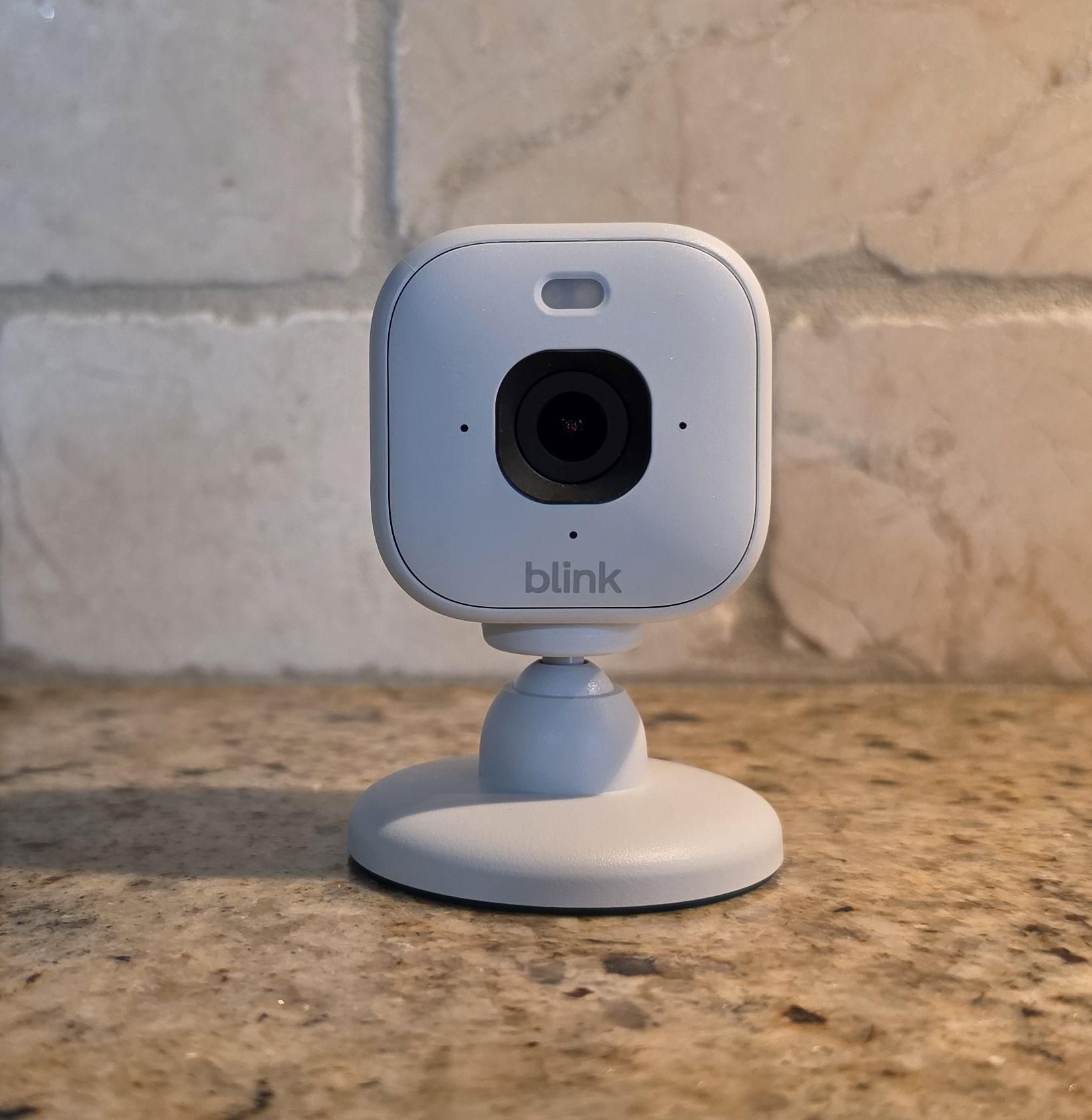
With the release of the Blink Mini 2 and Mini 2K+, mounting flexibility has expanded, especially for outdoor use cases. But the core challenge is still the same: you are working with a compact camera that relies on its base or external brackets for positioning and angle adjustment. That means some solutions that work for other cameras simply do not apply here. With the release of the Blink Mini 2 and Mini 2K+, mounting flexibility has expanded, especially for outdoor use cases. If you are still evaluating the camera itself, the full Blink Mini 2K+ review at HomeCamCafe covers video quality, audio, and the subscription limitation in detail.
This guide covers the best mounting options for the entire Blink Mini lineup, including the original Mini, Mini 2, and Mini 2K. It also explains when you can repurpose mounts from other Blink cameras like the Outdoor 4 and when you cannot.
Blink Mini Mount Comparison
| Mount | Best For | Type |
|---|---|---|
| Blink Pan Tilt Mount | Full room coverage with app-controlled movement | Motorized base |
| Adhesive Wall Mount Bracket | Clean wall installs with minimal visible hardware | Adhesive bracket |
| Stick-On Camera Shelf | Windows, cabinets, and renter-friendly installs | Adhesive shelf |
| Outdoor 4 Adapted Mount | Exterior Mini 2 and Mini 2K installs | Exterior bracket |
| Adjustable Clip Mount | Shelf edges, cabinet tops, and temporary setups | Clip-on |
Blink Mini vs Mini 2 vs Mini 2K: Mount Compatibility
The good news is that mounting compatibility across the Blink Mini lineup is better than most people expect. The original Mini, the Mini 2, and the Mini 2K all share a compact footprint and a similar approach to positioning and base attachment.
The original Mini is strictly an indoor camera. It uses a simple swivel base and was never designed for exterior installation. The Mini 2 expands into outdoor use, which opens up new scenarios like soffits, exterior walls, and window-facing installs pointed at entry points. The Mini 2K follows the same expanded concept at a higher resolution.
Here is what to know before you buy a mount:
- Mounts built for the original Mini generally work with the Mini 2 and Mini 2K. The size and base shape are similar enough across generations.
- Outdoor use with the Mini 2 opens up new mount types. You are no longer limited to interior brackets and adhesives.
- Some Outdoor 4 mounts can be adapted for the Mini 2 by removing the standard base, though this is not officially confirmed for every mount on the market.
The biggest limitation across all three models remains the absence of a threaded mounting hole. Without a 1/4-20 thread, you cannot use standard tripod adapters or ball-head mounts. That rules out a wide category of camera accessories and pushes you toward purpose-built brackets, adhesive shelves, and Blink-specific accessories.
What Comes in the Box
Before spending any money, take a closer look at the included stand. It is more capable than it looks. The built-in base allows full tilt and swivel adjustment, and it works well for shelf or tabletop placement in most rooms.
If your goal is to set the camera on a desk, entertainment center, or bookshelf, you do not need to buy anything else. The factory stand holds the camera securely and provides enough angular flexibility for most indoor viewing angles.
Wall mounting is also built in. The base has screw holes that let you attach it directly to a wall surface. The camera still pivots and tilts after installation, so you retain some positioning flexibility even in a fixed mount.
That said, the included stand has real limits. It does not work for window placement without obstructing the view. It does not help with clean cable routing along walls or baseboards. And it is not suitable for outdoor use, even with the Mini 2. Those are the scenarios where a third-party mount earns its place.
Best Blink Mini Mounts
1. Blink Mini Pan Tilt Mount
The official Blink Pan and Tilt mount is the most functional upgrade available for the Mini lineup. It replaces the standard base entirely and adds motorized horizontal and vertical movement that you can control remotely through the Blink app.
This turns a fixed camera into a scanning one. Instead of manually repositioning the Mini to check a different corner of a room, you can pan across the full space from anywhere. For monitoring a large living area, checking on pets, or covering an entry point with multiple angles, this is a significant improvement over any static mount.
The pan tilt mount is designed specifically for the Blink Mini. Installation is simple and it connects to power through the same USB cable the camera already uses. Because movement is app-controlled, you can also automate sweeps or trigger them manually during live view.
This is the only mount on this list that actually expands what the camera can do rather than just changing where it sits. If you are going to spend money on a single upgrade for an indoor Mini setup, this is the one.
2. Adhesive Wall Mount Bracket
Adhesive wall mount brackets are the most common way to get a Blink Mini off a shelf and onto a wall without drilling large holes. The bracket attaches to a flat surface using either the included adhesive pad or screws, and the camera base slides into it at a fixed angle.
Because the Blink Mini is so light, adhesive mounting holds reliably on most interior surfaces including painted drywall, tile, and smooth wood. The key requirement is a clean, flat surface with no dust or texture. Rough finishes and uneven walls reduce adhesion and can lead to the camera shifting over time.
This style of mount is ideal for hallways, bedroom corners, and entry points where you want a locked-in viewing angle and a cleaner look than the tabletop base provides. Installation takes under five minutes and leaves no visible hardware when installed correctly.
3. Stick-On Camera Shelf
The adhesive camera shelf is a different approach to wall mounting. Instead of holding the camera directly, it creates a small flat platform that sticks to a surface. The camera sits on the shelf using its built-in base, which means you keep the ability to tilt and adjust the angle even after installation.
This flexibility makes the shelf the go-to solution for window setups. Pointing a camera at a window from the inside is one of the most common uses for a Blink Mini, and a shelf mounted just above or beside the window gives you a stable platform without blocking the glass or dealing with adhesive directly on the frame.
Shelves also work well on cabinet doors, bathroom tile, mirrors, and refrigerators. Because the camera just rests on the shelf rather than locking into a bracket, swapping cameras or repositioning is easy. This is the best option for renters who need flexibility and do not want to leave marks.
4. Blink Outdoor 4 Adapted Mount
The Blink Mini 2 introduced outdoor capability for the first time in the Mini lineup, and that opens up a different category of mounting hardware. Some mounts designed for the Blink Outdoor 4 can be adapted for use with the Mini 2 by removing the standard base and using the bracket geometry for exterior placement.
This is particularly useful for covered outdoor areas where weather exposure is a concern but a soffit, overhang, or exterior wall needs a mount that handles outdoor conditions better than standard adhesive brackets. The Outdoor 4 mount hardware is built for UV exposure, temperature swings, and the kind of physical load that comes with permanent exterior installation.
Fitment is not guaranteed across every mount in this category, so it is worth checking product compatibility before ordering. But for Mini 2 owners who want to run an outdoor install with hardware that was built for the elements, this approach is more reliable than using indoor adhesive options outside.
5. Adjustable Clip Mount
Clip-style mounts are a niche option but a genuinely useful one in the right setting. Rather than adhering or screwing into a surface, these clamp onto a shelf edge, cabinet top, stair rail, or any flat surface up to a certain thickness.
For kitchen monitoring, garage corner placement, or any setup where you are frequently moving the camera or do not want to commit to a fixed position, a clip mount offers quick repositioning without any tools. Because the Blink Mini is light, a well-made clip mount holds it without flex or drift.
This is also a practical solution in rental properties or offices where adhesive use is restricted. If you need a camera in a specific spot for a short period or want to move it between locations regularly, a clip mount handles that without leaving marks or requiring reinstallation.
Indoor vs Outdoor Mounting Strategy
The right approach depends on whether you are working inside or outside, and what the camera model is.
For indoor setups, the priority is coverage angle and cable management. Shelves and adhesive brackets are both effective, but a shelf gives you more repositioning flexibility without removing the mount. Place cameras in corners or high on walls to maximize field of view and reduce blind spots. Avoid pointing directly at windows when lighting is a concern, since glare from outside can wash out the image during the day.
For outdoor setups with the Mini 2, focus on weather exposure and power access. The Mini 2 is weather resistant but not waterproof, so covered locations like soffits, overhangs, and covered porches are the practical choices. Route the power cable along the wall or through a small drilled hole to protect it from weather and reduce tampering risk. Adapted Outdoor 4 mounts handle the bracket side of this better than indoor hardware designed for temperature-controlled environments.
Common Mounting Mistakes
- Expecting a tripod thread that is not there. The Blink Mini has no 1/4-20 thread. Standard tripod adapters and ball-head mounts will not work without a third-party bracket.
- Using adhesive on rough or dusty surfaces. Textured walls, painted brick, and surfaces with any residue significantly reduce adhesion. Clean the surface before applying and let it cure for 24 hours before loading the camera.
- Ignoring power cable routing. The Mini needs a constant USB power connection. Plan for cable management before choosing a mount location, especially on walls where a dangling cable becomes a visual problem.
- Mounting too low. A camera placed at eye level or below loses most of its coverage advantage. Higher placement gives a wider field of view and makes the camera harder to tamper with.
- Using the original Mini outdoors. The first-generation Blink Mini is not weather resistant. Only the Mini 2 and Mini 2K are rated for outdoor use.
Related Guides
- Arlo Camera Mount Options
- Blink Outdoor Camera Mounts
- Window Shelf Mounts for Indoor Cameras
- Browse All Camera Mount Guides
Bottom Line
The Blink Mini lineup is genuinely easy to mount creatively because of its compact size and light weight. That same size means you are working outside the standard tripod ecosystem, but the options purpose-built for this camera cover every common scenario.
For indoor use, the pan tilt mount is the single best upgrade if you want app-controlled coverage. Adhesive wall brackets and shelves handle everything else at a lower cost. For the Mini 2 outdoors, adapted Outdoor 4 hardware is the most reliable path to a weather-appropriate install. And for flexible or temporary setups, a clip mount handles repositioning without any commitment.
The camera does not determine your viewing angle. The mount does. Pick the one that fits where you actually need the camera, not just where it is easiest to place.
