
A magnetic iPad wall mount skips the bulky spring-loaded cradle entirely. This style of magnetic iPad mount holds your iPad flat against a plate using strong internal magnets, so the tablet snaps on and off in a second and the mount itself nearly disappears when the iPad is removed. That makes it a favorite for kitchens, home offices, nightstands, and anywhere you want a clean wall without a cradle sticking out.
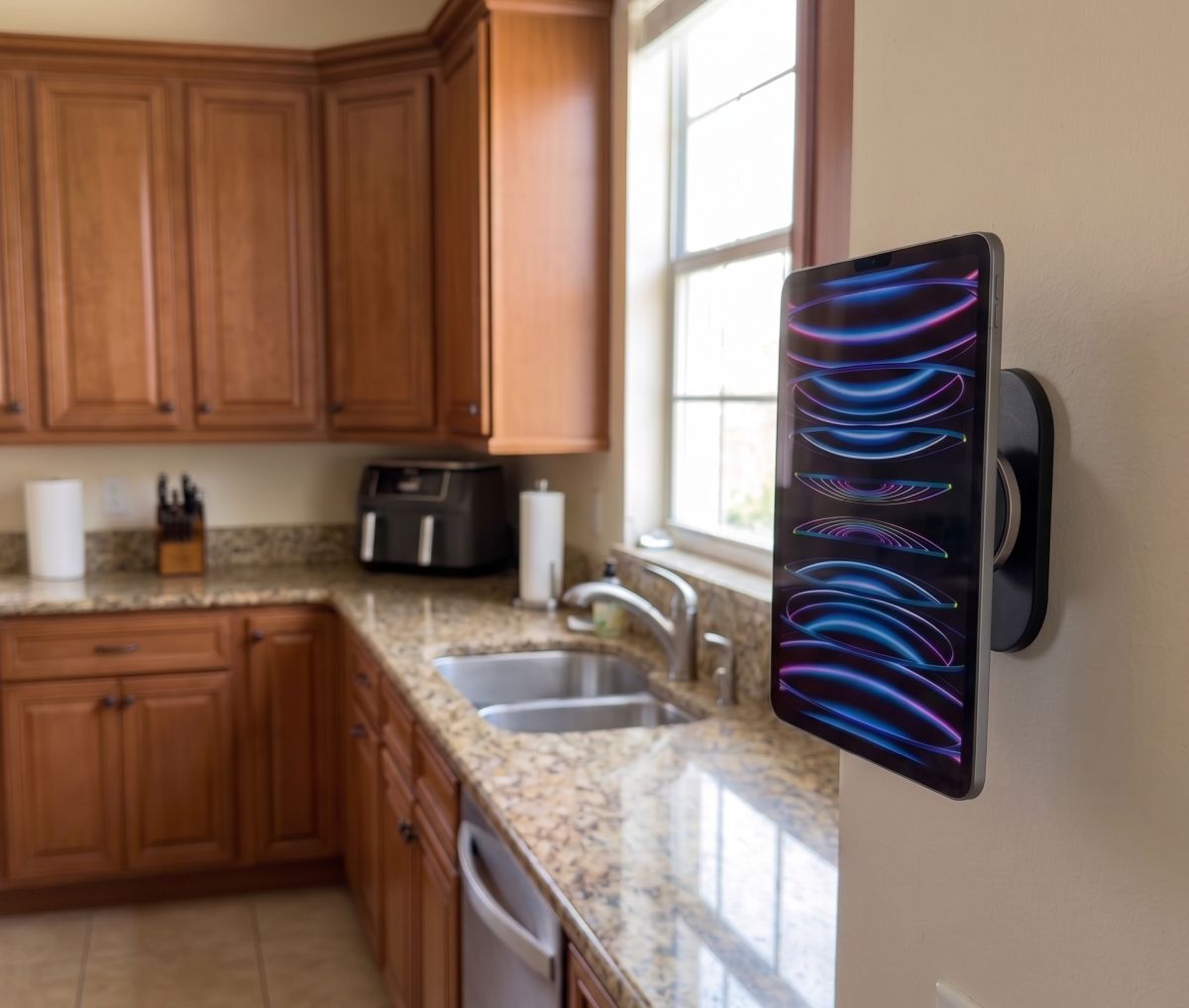
Before you shop, one thing is worth clearing up. Apple has never built true MagSafe, the charging-and-alignment magnet ring found in iPhones, into any iPad. The “MagSafe compatible” language you see on a lot of these mounts refers to the fact that the mount’s built-in magnets are strong enough to hold an iPhone with real MagSafe, or an iPad fitted with a thin adhesive metal plate or a magnetic case. For an iPad specifically, every option below works the same way: a magnet-dense mount pulls against a metal ring or plate attached to the back of your tablet or its case. It is not Apple magnetism, but it holds well and installs in minutes.
We discuss several styles of magnetic iPad wall mount, from no-drill adhesive plates to full adjustable arms, and narrowed the list to the ones worth your money. Every pick here is a complete kit: mount, magnetic ring or plate, and hardware included, not a bare bracket you have to source parts for separately.
| Mount | Best For | Compatible Devices |
|---|---|---|
| Nillkin iPad Magnetic Wall Mount | No-drill installation, cleanest look | iPad Pro, Air, Mini, most 7.9 to 14 inch tablets |
| NINEFATICS Aluminum Dual-Arm Magnetic Mount | Adjustable viewing angle, reach out from the wall | iPad Pro, Air, Mini, phones and tablets 4.7 to 13 inch |
| OHLPRO Foldable Aluminum Arm Magnetic Mount | Budget-friendly arm-style mount | iPad and tablets, MagSafe-compatible iPhones |
| NINEFATICS MagSafe-Compatible Wall Arm | Households sharing one mount between iPhone and iPad | iPad Pro, Air, Mini, iPhone 12 through 17 |
Best Overall: Nillkin iPad Magnetic Wall Mount
Nillkin has been building phone and tablet accessories for a long time, and their magnetic wall mount is the simplest way to get a clean, cradle-free setup. The mount itself is a slim adhesive plate that sticks to drywall, tile, or cabinetry with strong non-marking adhesive, no drill required. It pairs with a thin magnetic ring that you attach to the back of your iPad or your case, and once that ring is in place your iPad snaps to the wall and lifts away just as easily.
The magnet strength here is the standout feature. Nillkin builds it around multiple internal magnet rings rather than a single weak disc, so a full-size iPad Pro holds with real margin, not just barely clinging on. It also works on any flat, smooth surface, so the same mount does duty on a refrigerator, a metal cabinet, or a car headrest if you want to move it around. The tradeoff is that adhesive mounting is less forgiving on textured or painted walls that have not fully cured, so give a fresh paint job a few weeks before mounting.
This is the pick for anyone who wants the iPad flush against the wall with nothing sticking out, and it is the easiest of the four to install since there is no drilling involved at all.
Best Adjustable Arm: NINEFATICS Aluminum Dual-Arm Magnetic Mount
If a flush wall mount is not enough and you need the iPad to swing out and tilt toward you, the NINEFATICS dual-arm mount is the better fit. It is a screw-mounted aluminum base with a two-section folding arm and a magnetic head that rotates a full 360 degrees. That combination lets you pull the iPad away from the wall for a better viewing angle, then fold the whole thing flat against the wall when you are done, which matters in a kitchen where counter space and wall clearance are both tight.
Because it uses N52 magnets in the mounting head, it holds an iPad Pro securely even with the arm extended and the tablet at an angle, where a weaker magnet would let the tablet slide or drop. For devices that already have a genuine MagSafe ring, like an iPhone in a MagSafe case, it attaches directly. For an iPad you will use the included metal ring on the back of the case, and Nillkin’s advice about waiting roughly 24 hours after applying the ring before mounting a heavy tablet applies here as well, since the adhesive needs time to reach full strength.
The four-hole drilled base means this one is a real wall-mount installation, not a peel-and-stick job, so plan on a stud or wall anchors if you are hanging a full-size iPad Pro.
Best Budget Pick: OHLPRO Foldable Aluminum Arm Magnetic Mount
OHLPRO’s take on the magnetic arm mount covers the same basic ground as the NINEFATICS option, a folding aluminum arm with a magnetic head, at a lower cost. The two-stage arm extends less far than the dual-arm NINEFATICS mount, which is a fair trade for the price difference and still gives enough reach to angle an iPad away from a cabinet or wall for comfortable viewing.
This is a reasonable starting point if you are mounting a smaller or lighter iPad, like an iPad Mini or a standard iPad, and want to try the magnetic style without committing to a premium mount. For a 13-inch iPad Pro on a daily-use kitchen wall, we would lean toward the Nillkin or NINEFATICS picks above instead, since the thinner arm and smaller magnetic head give up a bit of the stability margin those two mounts offer.
Best for Mixed iPhone and iPad Households: NINEFATICS MagSafe-Compatible Wall Arm
Plenty of households have one wall spot they want to use for both an iPhone and an iPad depending on who needs it. This NINEFATICS mount is built around that use case. A genuine MagSafe iPhone, from the iPhone 12 through the current lineup, attaches straight to the magnetic head with no extra parts. For an iPad, the included metal ring goes on the case exactly like the other mounts here, and once it is in place the iPad snaps on just as securely.
The aluminum base and rotating head are close in build quality to the standard NINEFATICS dual-arm mount, so day to day use feels the same. The advantage is flexibility rather than raw capability, since a family that swaps between a phone for quick video calls and an iPad for recipes or a show gets one mounting point instead of two separate installs.
Installation Tips for a Magnetic iPad Wall Mount
Clean the mounting surface with rubbing alcohol before applying any adhesive base or magnetic ring. Skin oils and dust cut adhesive strength significantly, and a plate that lifts even slightly at one corner will eventually let the whole mount peel off. If you are using a screw-mounted arm on drywall, locate a stud where possible, or use wall anchors rated for at least twice the combined weight of the mount and your iPad.
Give any adhesive component the full cure time the manufacturer recommends, usually around 24 hours, before hanging your iPad on it. Mounting the tablet too soon is the single most common reason a magnetic ring or adhesive plate fails early. If your iPad lives in a rugged or bulky case, check the case thickness against the mount’s stated compatibility range before you buy, since a very thick case can weaken the magnetic connection even when the ring is properly attached.
What to Avoid
Skip any magnetic mount that does not list a magnet type or weight rating anywhere in the listing. Weak magnets are the most common complaint with cheap tablet mounts, and a 13-inch iPad Pro is heavy enough that a marginal magnet will let go eventually, often at the worst possible moment. Avoid mounting a magnetic plate directly over a light switch, outlet, or any spot with hidden wiring, and never rely on adhesive alone in a high-humidity spot like a shower unless the listing specifically calls out waterproof use.
How to Choose the Best Magnetic iPad Wall Mount for Your Space
Start with how you plan to use the iPad once it is mounted. If you mainly want it flush against a kitchen backsplash or a bedroom wall for video and recipes, the no-drill Nillkin mount gets you there with the least effort and the cleanest finish. If you need the screen to tilt or extend toward you, for a desk setup or a spot where the wall is not at eye level, one of the folding arm mounts is the better call.
Weight matters more than most people expect. A standard iPad or iPad Mini is light enough that almost any of these mounts will hold it without issue. If you are specifically shopping for an iPad Pro magnetic wall mount, the 12.9 or 13-inch model pushes closer to the upper limit of what a magnetic connection can reliably support, so lean toward the mounts with the strongest stated magnet rating, which in this group are the Nillkin and the standard NINEFATICS dual-arm option.
If you already have a magnetic iPad wall mount and want a full comparison of every wall-mounting style, including screw-in cradles and VESA arms, our broader tablet wall mount guide covers the non-magnetic options as well. And if the iPad in question spends most of its time in a vehicle rather than on a wall, our iPad Pro mounting guide covers seat rail, headrest, and clamp-arm options built for that use.
Frequently Asked Questions
Does the iPad have real MagSafe like the iPhone?
No. Apple has not added a MagSafe charging ring to any iPad. Magnetic iPad wall mounts work by pairing strong magnets in the mount with a thin metal ring or plate attached to the back of your iPad or its case.
Will a magnetic wall mount damage my iPad?
No. The magnets used in these mounts do not affect the iPad’s internal components or screen. The one exception noted by several manufacturers is Samsung S Pen-equipped tablets, where a strong magnet can interfere with the pen, so that is worth checking if you are mounting a Samsung device instead of an iPad.
Can I remove the magnetic ring later if I sell the iPad?
Yes. The rings and plates included with these mounts are designed to be removed cleanly from a case, and most peel off a bare iPad back without leaving residue, though we would still recommend applying any ring to a case rather than directly to the tablet when possible.
