
A tablet mounted to the wall stays where you need it, at the height you want, without taking up counter space or requiring someone to hold it. Whether the goal is a recipe station in the kitchen, a media display in the bedroom, a smart home control panel in the hallway, or a secure kiosk in a business, wall mounting is one of the cleanest ways to put a tablet to work. The problem is that the market for tablet wall mounts runs from genuinely good hardware to flimsy plastic that fails within a few months. This guide covers five options that earn a place on the wall, organized by use case so you can go straight to what fits your situation.
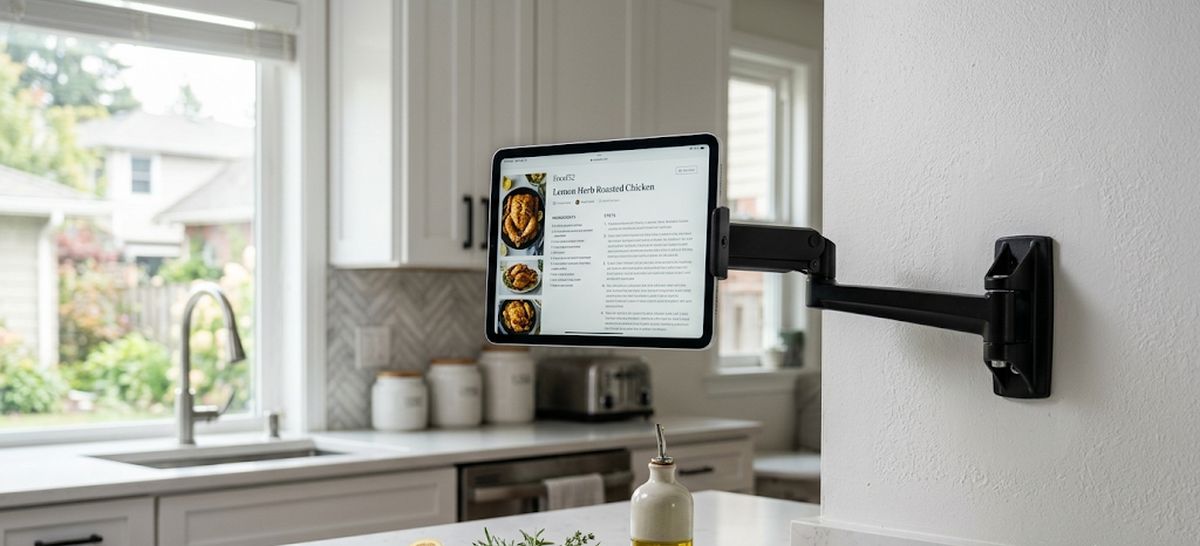
The main decision before buying is whether you need the tablet to stay in the mount permanently or whether you will be removing and replacing it regularly. A fixed enclosure mount with a lock is the right call for commercial settings, shared spaces, or anywhere the device needs to stay put without being touched. An articulating arm or clip-style mount is better for home use where you want to grab the tablet, use it elsewhere, and put it back. Both types are covered below.
| Mount | Best For | Tablet Size |
|---|---|---|
| Mount-It! Anti-Theft Tablet Wall Mount | Retail, office, hotel, smart home | 7.9″ to 11″ |
| NOTMBESTM Universal Wall Mount (2-Pack) | Budget home use, multiple rooms | Most tablets and e-readers |
| Lucrave Aluminum Extendable Tablet Wall Mount | Kitchen, bedroom, adjustable reach | 4.7″ to 13″ |
| Gliterra 360° Anti-Theft Tablet Wall Mount | Commercial kiosk, POS, restaurant | 9.7″ to 13″ |
| NINEFATICS Magnetic MagSafe-Compatible Wall Mount | MagSafe iPhones, gym, kitchen | 4.7″ to 12.9″ |
Mount-It! Anti-Theft Tablet Wall Mount
The Mount-It! MI-3872B is the right answer for anyone who needs the tablet to stay on the wall without being removed by anyone other than the person who installed it. The mount uses an enclosed frame with adjustable clamps that grip tablets from 7.9 to 11 inches, and a locking anti-theft screw prevents unauthorized removal. This is the design that makes sense in a business context, whether that’s a retail point-of-sale system, a hotel room control panel, a restaurant ordering station, or a smart home dashboard mounted in a common area.
The full-motion swing arm is what separates this from a basic fixed enclosure. It tilts plus or minus 15 degrees, swivels 90 degrees in either direction, and the arm itself extends from 3.5 to 16.1 inches from the wall. That range of motion is genuinely useful because it means you can fold the arm flat against the wall when not in use and swing it out to a comfortable viewing angle when someone needs to interact with it. The enclosure rotates 180 degrees between portrait and landscape, which covers both vertical content display and horizontal interface use without tools.
Construction is cold-rolled steel throughout. The mount installs into a single wood stud or solid concrete or brick wall, and the hardware is included. The clamp design gives full access to the tablet’s ports and buttons on most devices, though it covers a portion of the sides by design. This is worth noting if your setup requires constant physical button access on the edges. For most smart home, signage, and kiosk applications, that is not a concern.
The locking screw is designed to be tightened once the tablet is positioned. One detail to know before install: the anti-theft screw, when fully tightened, creates a near-permanent connection between the mount and the device. If you plan to ever swap the tablet out, tighten just enough to prevent casual removal rather than torquing it completely down.
NOTMBESTM Universal Tablet Wall Mount (2-Pack)
The NOTMBESTM mount comes as a pair, which immediately sets it apart from every other option on this list. Two mounts in one purchase makes sense for anyone outfitting multiple rooms or wanting a backup on hand. Each mount installs either with screws or 3M adhesive, which gives you flexibility on how permanently you want to commit to a location. The adhesive option works well on smooth drywall if you need something fast and hole-free. The screw option is the right call if the mount will hold a heavier tablet or see daily use.
The design is a twist-lock cradle system. A round cap attaches to the back of your device and a grooved base goes on the wall. The tablet clicks into place when pressed against the base, and the whole assembly rotates 90 degrees to switch between portrait and landscape. This is the fastest dock-and-undock experience of any mount in this roundup. It takes less than a second to place or remove the tablet, which makes this a practical choice for a tablet you take with you during the day and want a home base for at night, or for a kitchen setup where the device comes and goes from the counter.
The build is plastic, which keeps the weight and cost down but means it is not the choice for heavy commercial use or larger tablets at the upper end of the size range. For a standard 10-inch iPad or equivalent, it holds reliably. For a 12.9-inch iPad Pro, the screw mount on a stud is the more confident option over adhesive. The 2-pack value proposition is hard to argue with for household use.
Lucrave Aluminum Extendable Tablet Wall Mount
The Lucrave is the arm-style mount that most households should be looking at. It is built from aluminum alloy, which puts it in a different durability class than most of the plastic arm mounts that flood this category. The base mounts to the wall with four screws, the arm extends in three stages, and a 360-degree ball head at the tip lets you dial in exactly the angle you want without being limited to preset stops. Portrait or landscape, angled up toward a counter worker, angled down toward a couch, tilted to reduce glare: the ball head accommodates all of it.
Compatibility is broad. The clamp cradle opens to handle devices from 4.7 to 13 inches, covering everything from a small phone to a 12.9-inch iPad Pro. This makes the Lucrave particularly useful in a household where the mounted device is likely to change over time. Rather than buying a new mount every time you upgrade the tablet, the cradle adjusts to fit the next device. Samsung Galaxy Tab, Amazon Fire, Kindle, Microsoft Surface within the size range: all fit in the same cradle.
The three-stage extendable arm is the defining feature. It folds flat against the wall when not in use, which is a meaningful advantage in spaces like a kitchen where a permanently jutting arm would be in the way. Swing it out when you need it, fold it back when you don’t. The aluminum construction keeps it stable at full extension with a 13-inch tablet loaded, which is where a lot of cheaper arms develop wobble or droop over time.
For kitchen use, this is the top pick in this roundup. The ability to fold the arm away during meal prep, extend it to check a recipe, rotate it for a video call, and fold it back again is exactly the kind of versatility a wall mount in a working kitchen needs. It handles the full range of tablet sizes, the aluminum holds up to kitchen humidity better than plastic, and the 360-degree ball head means you are not fighting a fixed pivot point every time the sun shifts and creates glare on the screen.
Gliterra 360° Anti-Theft Tablet Wall Mount
The Gliterra is a commercial-grade aluminum enclosure designed for applications where the tablet needs to be on the wall, facing customers or staff, and not going anywhere. The target setting is retail POS, restaurant ordering, office collaboration stations, and interactive kiosks, and the design reflects that. The aluminum build is heavier and more substantial than steel consumer enclosures, and the tamper-resistant locking mechanism goes beyond the basic anti-theft screw design used on most consumer anti-theft mounts.
The fixed-height design is a deliberate choice rather than a limitation. Unlike arm-based enclosures that introduce wobble when someone swipes or taps the screen aggressively, the Gliterra stays locked in position under interaction. For a customer-facing touchscreen application, that stability matters. The 360-degree rotation and 30-degree tilt give enough adjustment to reduce glare and optimize viewing angle during setup, and then the position locks in place for daily operation.
Compatibility covers 9.7 to 13-inch tablets, which handles the iPad Pro lineup, iPad Air, large Samsung Galaxy Tab models, and similar Android slates in that size range. This is a business-oriented size window because most consumer kiosk and POS deployments use larger tablets rather than smaller ones. The enclosure does not accommodate 7 or 8-inch devices, so if you need to wall-mount a smaller tablet in a commercial setting, the Mount-It! MI-3872B is the better fit for that application.
For home use, the Gliterra is overkill unless you genuinely need tamper resistance in a shared space. For a small business, restaurant, or retail environment where the tablet is customer-facing all day, the aluminum build and locking design are appropriate to the application.
NINEFATICS Magnetic MagSafe-Compatible Tablet Wall Mount
The NINEFATICS takes a different approach than the cradle and clamp designs above. Rather than mechanically gripping the device, it uses magnets. For iPhones 12 through 16, the mount works directly with MagSafe, meaning those devices attach and detach instantly without any adapter. For tablets and non-MagSafe Android phones, the mount includes a metal ring that you attach to the back of the device. Once the ring is bonded, the tablet snaps to the mount magnetically the same way.
This is a fundamentally different user experience than a cradle mount. There are no arms to open, no clips to seat the device into, and no release mechanism to figure out. You press the tablet to the wall mount and it holds. You pull it off and it releases. For a gym setup where you want to check your phone between sets, a kitchen recipe station where the tablet comes off the wall regularly, or a bedside mount where you pick up and replace a device multiple times a day, the magnetic attach and detach is significantly faster than any clamp-style alternative.
For a closer look at magnetic mounting specifically, including a no-drill adhesive option and a pick built around the extra weight of a 12.9 or 13-inch iPad Pro, see our magnetic iPad wall mount guide.
The base is solid one-piece aluminum alloy, and the wall installation is the same screw-to-wall method as the other mounts here. The arm is foldable, which keeps the mount profile low when the device is not attached. The 360-degree rotation handles both portrait and landscape orientation. Compatibility runs from 4.7 to 12.9 inches for cradled devices using the included metal ring, and MagSafe iPhones attach directly without the ring.
One detail on the metal ring adhesive: the manufacturer recommends waiting 24 hours after bonding the ring to your device before loading it in the mount. The adhesive needs time to fully cure against the back of the tablet or phone case. Rushing this step is the most common cause of the ring separating from the device under the pull of the magnet.
How to Choose a Tablet Wall Mount
The first question is whether the tablet will stay in the mount or come and go. A tablet used exclusively as a wall-mounted display, a smart home control panel, or a business kiosk belongs in a fixed enclosure like the Mount-It! or Gliterra. Those mounts are not designed for daily removal; they are designed to hold the device securely for weeks or months at a time. An arm-style mount like the Lucrave or a clip mount like the NOTMBESTM is better when the tablet does double duty and needs to leave the wall regularly.
The second question is the installation surface. All five mounts here use screw-to-wall installation as their primary method, which means you need to know what is behind the wall. Standard drywall with studs behind it is the easiest case. Tile, concrete, and brick require appropriate anchors and a masonry bit, but all of these mounts will work on those surfaces with the right hardware. The NOTMBESTM also offers adhesive installation as an alternative for renters or anyone who cannot drill, but adhesive is only appropriate on smooth, painted drywall and is not suited for high-traffic or commercial use.
Tablet size matters more than most buyers expect. The Mount-It! and Gliterra have fixed size windows (7.9 to 11 inches and 9.7 to 13 inches respectively), while the Lucrave and NINEFATICS handle anything from a small phone up to a 12.9-inch iPad Pro. If you have a larger tablet or expect to upgrade, an adjustable clamp arm or magnetic mount is a more flexible long-term investment.
If your use case goes beyond the home, including warehouses, vehicles, or specialized environments, see our guides on heavy duty tablet mounts and tablet mounts for cars and SUVs for hardware built to those specific demands.
