
Tablets are everywhere in warehouse and industrial settings now. That was the easy part. The harder part is keeping them alive. A regular office stand or light-duty consumer mount may work fine at a desk, but it is not the right tool for a forklift, a warehouse rack, or a workstation that gets bumped and vibrates all day.
That is why heavy duty tablet mounts matter. In an industrial environment, the mount has to do more than simply hold a tablet upright. It has to resist vibration, hold the device securely, survive constant handling, and give workers a position that is easy to see without putting the tablet in harm’s way.
This guide focuses on heavy duty tablet mounts with universal cradles. That means the mounts can fit a wide range of mainstream tablets such as iPad, iPad Air, iPad mini, Galaxy Tab, and similar models, with or without a light rugged case depending on the cradle dimensions.
Quick Comparison: Best Heavy Duty Tablet Mounts
| Mount | Mount Type | Best For | Why It Works |
|---|---|---|---|
| Arkon Heavy Duty Clamp Mount | C-clamp with gooseneck | Warehouse racks, tables, carts | Strong clamp, flexible positioning, wide tablet fit range, budget price |
| Mount-It! Tablet Pole Mount | Pole/C-clamp mount | Posts, poles, rails, mixed workstations | Fits round and flat surfaces with more adjustment points |
| RAM X-Grip III with Drill-Down Base | Flat-surface permanent mount | Forklifts, vehicles, fixed workstations | Rugged metal base with vibration-friendly ball-and-socket system |
| RAM Tab-Tite with AMPS-Compatible Base | Flat-surface or integrated system | Case-friendly industrial installs | More enclosed tablet hold than an open X-style cradle |
Mount Analysis
Many warehouse management systems now offer tablet-friendly interfaces, and that has changed how tablets are used on the floor. Instead of being limited to a supervisor desk, tablets now move with workers through receiving, picking, inventory counts, replenishment, and shipping.
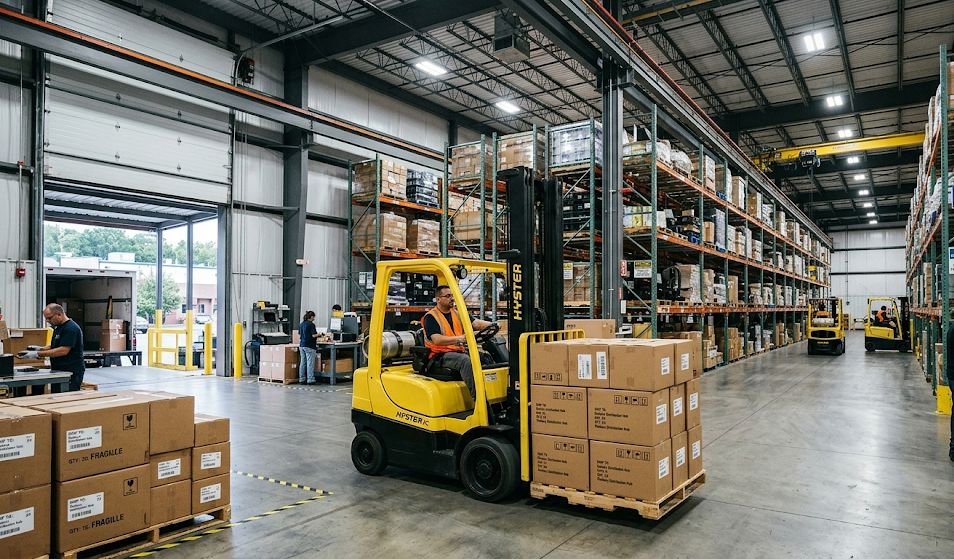
That flexibility is useful, but it also creates a hardware problem. A warehouse is not a gentle environment. Equipment vibrates. Forklifts jolt. Carts hit seams in the floor. Shelving posts get bumped. A mount that feels fine at a desk can fail quickly once it is moved into a harsher setting.
The biggest difference between a true heavy duty tablet mount and a light-duty consumer mount is not just thickness of materials. It is the whole approach. Industrial mounts need a more secure grip on the tablet, a stronger mounting base, and hardware that resists loosening when exposed to constant vibration.
That is also why a rugged case still matters. Even the best mount cannot protect a bare tablet from every drop or collision. A rugged case plus a heavy-duty mount is the better combination in any warehouse environment.
What Makes an Industrial Tablet Mount Different?
Consumer tablet mounts are usually built around convenience. Industrial mounts are built around retention and durability. That means more metal, thicker joints, tighter clamping, and less reliance on suction cups or decorative plastic.
There are three common heavy-duty categories:
- Clamp mounts for racks, tables, carts, and rails
- Pole mounts for posts, vertical tubing, and forklift uprights
- Drill-down or flat-surface mounts for permanent installations
The best choice depends on how mobile the setup needs to be. A clamp mount is easier to move. A drill-down mount is harder to move, but much better when the environment is rough and the installation needs to stay put.
Best Budget Mount for Warehouse Racks and Worktables
The Arkon heavy-duty clamp mount is still one of the better values in this category. It uses a steel C-clamp base and a 12-inch bendable gooseneck arm, which makes it a practical option for warehouse racks, packing benches, carts, and similar surfaces.
One reason this mount works well in industrial use is flexibility. It can be clamped to a surface without drilling, repositioned when needed, and adapted to different tablet sizes by changing the support leg configuration. That makes it especially useful for operations that do not want to commit to permanent hardware right away.
The trade-off is that a gooseneck mount is still not the best choice for the harshest high-vibration forklift use. It is far better suited to stationary or semi-mobile environments such as racks, carts, and worktables.
Best Pole Mount for Posts, Rails and Mixed Workstations
The Mount-It! tablet pole mount is a strong option when the install point is not a simple flat edge. This type of mount is more useful when the tablet needs to attach to a post, pole, rail, or other rounded structure that would be awkward for a standard table clamp.
That makes it a good fit for certain warehouse stations, mobile carts, and equipment frames where a conventional C-clamp does not sit naturally. It also gives more positioning control than some simpler clamp mounts because it includes multiple adjustment points.
For operations that need one mount design to work across several different mounting surfaces, this style is often the more adaptable choice.
Best Flat-Surface Mount for Permanent Industrial Installs
If the tablet is going on a forklift, a machine guard, a fixed station, or another high-vibration location, a permanent drill-down style mount is usually the better choice. This is where RAM systems continue to stand out.
The RAM X-Grip III paired with a flat-surface base is a strong option for mid-size and larger tablets. The ball-and-socket design helps with positioning while also doing a better job of managing vibration than rigid fixed-angle consumer mounts. That matters in industrial vehicles and equipment where jolts are part of normal operation.
The open X-style cradle also keeps ports and buttons accessible, which is useful when the tablet needs to stay plugged in or docked while mounted.
For operations mounting tablets to vehicles or fixed workstations, this type of setup is often a better long-term solution than a clamp arm.
Best Case-Friendly Cradle for Permanent Installs
Not every industrial setup works best with an open X-style cradle. In some environments, a more enclosed holder is the safer choice, especially when the tablet lives inside a rugged case or needs a more contained fit.
The RAM Tab-Tite universal cradle is a strong alternative in that situation. It uses a spring-loaded design with interchangeable cup ends, which gives it a more tailored hold than some open universal cradles. That can be useful when the device size is consistent and the goal is a more secure everyday fit.
This style is particularly attractive for permanent workstation installs where the same device is repeatedly docked and removed throughout the shift.
The link below points to the cradle. Pair it with a flat surface or clamp mount from RAM.
Common Mistakes with Industrial Tablet Mounts
| Problem | Cause | Best Fix |
|---|---|---|
| Tablet shakes excessively | Light-duty arm or weak base used in a high-vibration setting | Switch to a drill-down or more rigid industrial mount |
| Tablet slips out under vibration | Cradle is too loose or not designed for industrial use | Use a tighter universal cradle or case-friendly holder |
| Mount gets in the way of workflow | Tablet placed too low, too far out, or in a strike zone | Reposition closer to eye level and away from impact areas |
| Workers stop using the tablet | Mount position makes the device awkward to see or reach | Optimize the mount location for real workflow, not just hardware convenience |
How to Choose the Right Mount Style
If the tablet needs to move between stations or the install point may change, start with a heavy-duty clamp or pole mount. Those are easier to reposition and usually faster to deploy.
If the tablet is going on a forklift, machine, or dedicated workstation where vibration is constant, start with a flat-surface drill-down system instead. That is usually the more stable long-term answer.
If the device has a bulky rugged case, pay extra attention to cradle dimensions. Universal fit is helpful, but not every universal cradle handles thick cases equally well.
Bottom Line
Industrial tablet mounts need to do more than just hold a tablet. They need to survive rough environments, resist vibration, and keep the device secure while staying usable for workers throughout the day.
For racks, carts, and benches, a heavy-duty clamp mount is usually the smartest place to start. For posts and rails, a pole mount is often more adaptable. Lastly, for forklifts and permanent stations, a drill-down RAM-style system is generally the stronger choice.
The short version is simple: use metal where it matters, use a cradle that actually fits the tablet, and do not expect a light-duty consumer mount to survive industrial work.
