
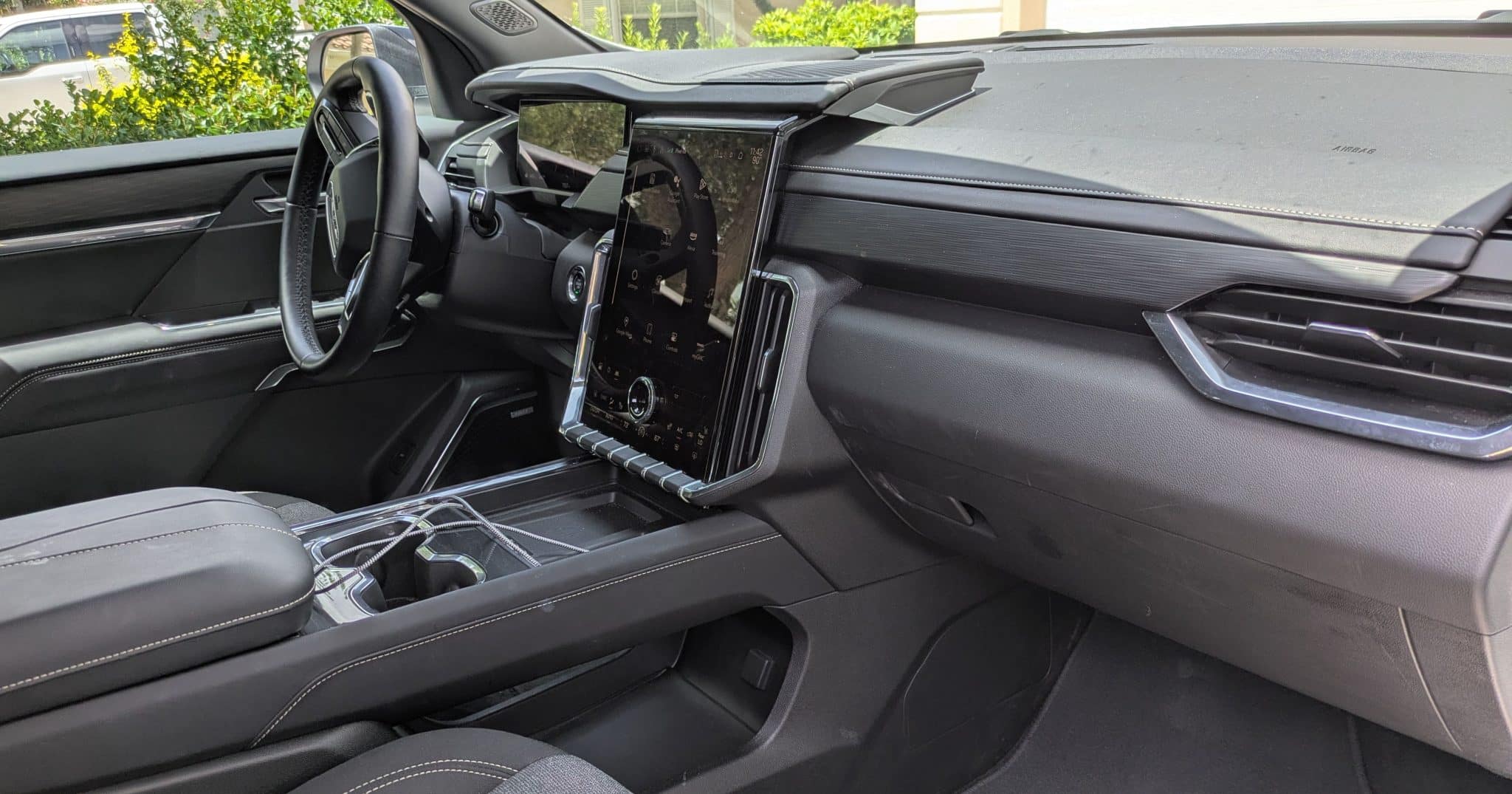
The GMC Acadia is one of those SUVs that looks easy to mount a phone in—until you actually try it. The dashboard is clean and slightly curved, the vents are narrow and vertically oriented, and the center stack leaves very little unused space. It’s a modern interior that prioritizes design over mounting convenience.
On 2017–2026 Acadia models, the biggest issue isn’t finding a mount—it’s finding one that stays put without blocking the touchscreen or climate controls. A lot of generic mounts fail here because they rely on flat surfaces or horizontal vents, neither of which the Acadia really offers.
After digging into real-world fitment (and avoiding the usual “one-size-fits-all” junk), these are the mounts that actually work in the Acadia—and where you should install them for the best results.
If you’re comparing across similar GM interiors, you’ll notice some overlap with setups that work in the GMC Terrain and Chevy Equinox, but the Acadia’s wider dash and different vent design change what works best here.
Quick Comparison – Best Phone Mounts for GMC Acadia
| Mount | Type | Best Location | Why It Works in Acadia |
|---|---|---|---|
| iOttie Easy One Touch 5 | Suction | Windshield | Handles curved dash limitations |
| Scosche MagicMount Pro Dash | Magnetic | Lower dash trim | Fits small flat areas cleanly |
| WeatherTech CupFone | Cup Holder | Center console | Avoids dash entirely |
| Beam Electronics CD Slot Mount | CD Slot | Center stack | Strong anchor point |
| VICSEED Dashboard Mount | Suction Arm | Windshield | Better reach in wide cabin |
Where to Mount Your Phone in the GMC Acadia
Windshield (Best Overall)
This is the most reliable spot in the Acadia. The glass is upright enough for strong suction, and it avoids the uneven dash surfaces entirely.
Lower Dash Trim (Best for Clean Look)
There are small flat sections beneath the infotainment system. These are ideal for compact adhesive mounts—but placement must be precise.
CD Slot (If Equipped)
Older Acadias still have a CD slot, and it’s one of the most stable mounting points available.
Cup Holder (Most Reliable)
If you’re tired of mounts falling off, this is the simplest solution—especially for long drives.
Best Phone Mounts for GMC Acadia
1. iOttie Easy One Touch 5 Dashboard & Windshield Mount
This is one of the few suction mounts that consistently works in the Acadia. The key is the gel-based suction pad—it conforms slightly to uneven surfaces, which is critical given how few flat areas this dashboard has.
In real use, this mount performs best on the windshield. The telescoping arm lets you position the phone closer without blocking the center display, which is a common issue in this vehicle.
The one-touch mechanism is also genuinely useful when driving—especially in a larger SUV where reach matters.
2. Scosche MagicMount Pro Dash (Magnetic Mount)
This is one of the better solutions for the Acadia’s limited flat space. Instead of relying on a large base, it uses a small adhesive footprint that can fit on the few usable flat trim areas.
Because it’s magnetic, there are no arms or moving parts—which means less vibration. That’s important in the Acadia, where longer mounts tend to wobble due to cabin size and road feedback.
It works best placed slightly to the right of the steering wheel or below the infotainment controls.
3. WeatherTech CupFone
If you’ve had issues with mounts falling off in hot weather or uneven surfaces, this completely avoids the problem. It locks into the Acadia’s cup holder and provides a stable, vibration-free hold.
The position is surprisingly usable in this SUV. The cup holders are close enough to the driver that you don’t need to reach awkwardly, and it keeps your dash completely clean. This location is best when not needing to access the phone while driving. If using it for activities like navigation, opt for a different location where the phone is near eye level.
This is especially useful for heavier phones or drivers who don’t want anything attached to the interior.
4. APPS2Car CD Slot Mount for Phones and Tablets
If your Acadia still has a CD slot, this is one of the most stable mounting options available. It anchors directly into the slot, creating a firm base that doesn’t rely on adhesives or suction. The APPS2Car entry is chosen because it holds phones and tablets.
In the Acadia, this position works particularly well because it keeps the phone centered without blocking the touchscreen—something that’s hard to achieve with dash mounts.
It’s a great long-term solution if you don’t use the CD player anymore.
5. VICSEED Dashboard & Windshield Car Phone Mount
This mount stands out because of its reinforced arm and stronger suction design. In a larger SUV like the Acadia, that extra stability matters—especially if you’re mounting on the windshield and extending the arm.
Where this mount really helps is positioning. The Acadia’s cabin is wide, and shorter mounts often leave the phone too far away. This one allows for better placement without sacrificing stability.
It’s a solid alternative to the iOttie if you want something slightly more rigid.
Are There Custom Mounts for the GMC Acadia?
There are very few true vehicle-specific mounts available for the Acadia that are widely available through major retailers. Most “custom” solutions are either discontinued or sold through niche suppliers.
Because of that, your best approach in the Acadia is choosing a mount that works with the interior design—not trying to force a vehicle-specific solution that may not be readily available or supported.
This is different from vehicles like the Jeep Wrangler, where custom mounts are common and highly effective.
Common Mounting Problems in the GMC Acadia
- Curved dashboard surfaces: Suction mounts fail if not placed on glass.
- Vertical vents: Poor support for vent mounts—avoid them.
- Limited flat mounting space: Requires smaller or more flexible mounts.
- Wide cabin layout: Poor positioning with short mounts.
Installation Tips for Best Results
- Use the windshield instead of the dash whenever possible.
- Clean surfaces thoroughly before installing adhesive mounts.
- Avoid blocking the infotainment screen or climate controls.
- Test reach and visibility before final placement.
- Use shorter arms if you notice vibration while driving.
Bottom Line
The GMC Acadia isn’t a mount-friendly interior—but the right setup makes a huge difference.
If you want the most reliable solution, go with a windshield suction mount like the iOttie. If you prefer something minimal, a magnetic dash mount works well in the limited flat areas. And if you’re done dealing with adhesives entirely, the cup holder option is rock-solid.
The key with the Acadia is simple: work around the design, not against it.
