
The mounting plate included with the TP-Link Tapo C200 handles a basic wall or ceiling installation, but it offers little flexibility when you need the camera in a corner, clamped to a shelf, or aimed from an unusual angle. A purpose-built tapo c200 wall mount gives you more control over placement while keeping the camera secure and its full pan-and-tilt range usable.
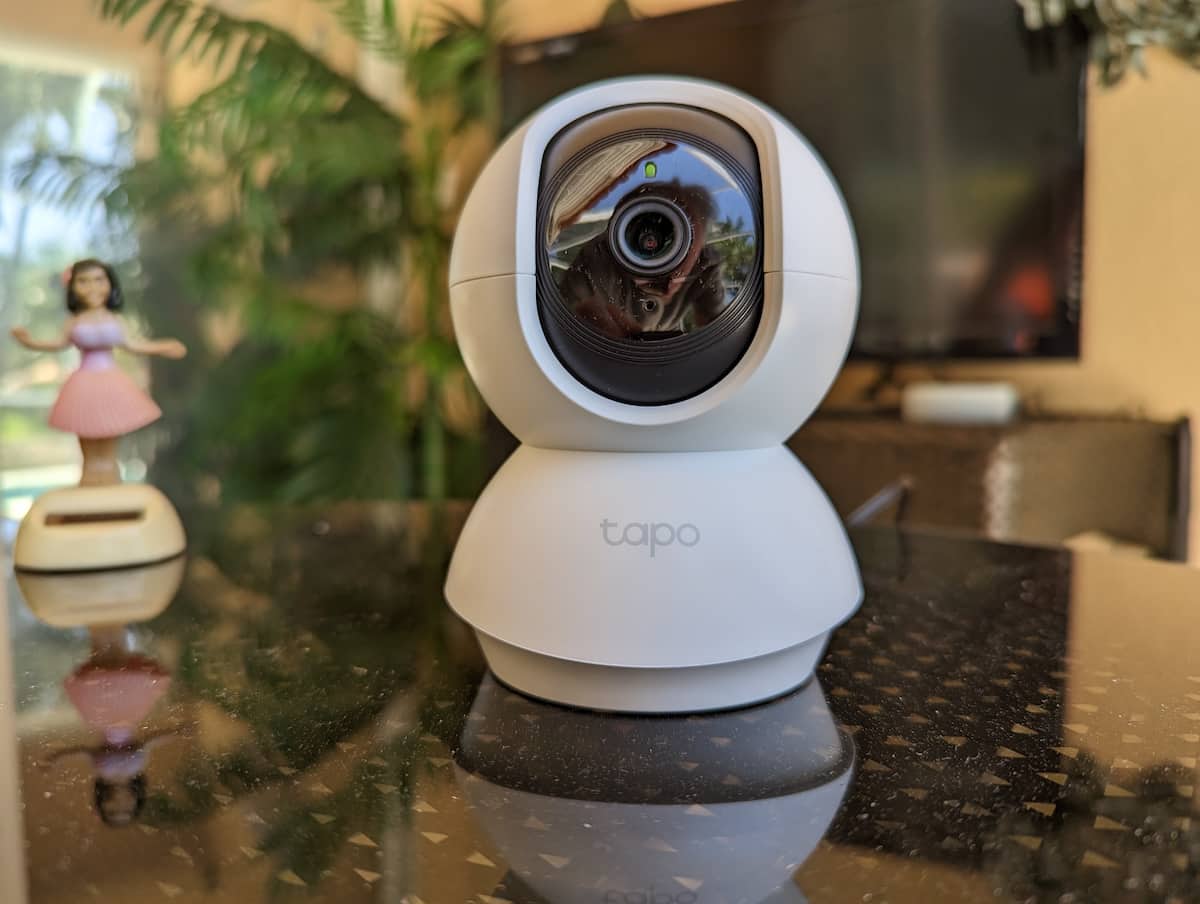
This guide compares four mounting styles for the Tapo C200 and explains where each one works best. I also own the Tapo C210 and C230 and compared their bodies and mounting points directly. The C220 shares this same body based on manufacturer listings and third-party compatibility charts, though I have not tested that model firsthand. All four cameras use the same physical housing and base dimensions, so these mounts fit across the lineup even when an older product listing names only the C200 and C210. For a wider look at mounting options across other camera brands, see our security camera mounts directory.
Table of Contents
Do Tapo C200 Mounts Fit the C210, C220 and C230?
Yes. I compared the C200, C210 and C230 firsthand and confirmed they share the same exterior body and mounting dimensions. The C220 uses this same housing according to manufacturer listings and third-party compatibility charts, though I have not tested that specific model myself. The changes between the models are primarily inside the camera, including resolution and detection features, rather than changes to the outer housing.
That matters because many aftermarket listings name only the C200 and C210. Those models have been available longer, so they appear more often in product titles and compatibility charts. The omission of the C220 or C230 does not necessarily indicate a different physical fit.
Tapo C200 Wall Mount Comparison
| Mount | Best For | Mounting Style |
|---|---|---|
| OYOCAM 2-Pack Adjustable Wall Mount | Multiple cameras and adjustable positioning | Screw-mounted adjustable bracket |
| Zwolf Aluminum Wall Mount | Rigid angled or elevated placement | Screw-mounted metal bracket |
| KHQBG Flexible Clamp Mount | Shelf edges, rails and no-drill installation | Clamp with flexible arm |
| Brainwavz Corner Wall Mount | Room corners and reducing blind spots | Adhesive or screw-mounted corner shelf |
Best Tapo C200 Wall Mount Options
OYOCAM 2-Pack Adjustable Wall Mount
The OYOCAM is the best starting point when you want a conventional wall bracket with more aiming flexibility than the factory plate. It comes as a two-pack and provides up to 180 degrees of bracket adjustment. That makes it useful for mounting above a doorway, higher on a wall or beneath a shelf while still pointing the camera toward the center of the room.
The bracket attaches with screws and wall anchors. Before tightening everything, rotate the camera through its full horizontal and vertical travel. Leave enough space behind and below the camera for the power connector and cable to move without rubbing against the wall.
Zwolf Aluminum Wall Mount
The Zwolf bracket uses aluminum rather than plastic, giving it a rigid platform for elevated or sharply angled placement. It is a useful choice when the camera needs to cover a doorway, hallway or stairwell from above and you do not want the bracket flexing as the camera pans.
This is also a two-pack, but its main advantage is construction rather than adjustability. Plan the viewing angle before drilling because a rigid bracket offers less forgiveness than a flexible arm. The mounting surface must be solid, and the camera should be positioned far enough from the wall to avoid limiting its rotation.
KHQBG Flexible Clamp Mount
The KHQBG solves a different problem from the fixed wall brackets. Its clamp and flexible arm let you attach the camera to a shelf edge, furniture rail or other suitable surface without drilling. It works well for temporary installations, rental properties or any location where you may want to reposition the camera later.
Stability depends on the surface. Clamp it to a firm, flat edge rather than thin trim or a rounded surface, then check for movement while the camera pans. A long flexible arm can transmit more vibration than a fixed bracket, so this is better for convenience than maximum rigidity.
Brainwavz Corner Wall Mount
The Brainwavz mount is shaped specifically for a room corner, a placement that ordinary flat-wall brackets do not handle well. Raising the camera into a corner can provide a wider view of the room while keeping it out of the way of furniture, pets and foot traffic.
You can install it with screws or the supplied adhesive. Screws are the better long-term option on most walls. Brainwavz specifically warns against using the adhesive on painted, damp or plastered surfaces because the adhesive may not hold securely and could damage the finish. The mount also includes a cable opening so the power cord can exit behind the camera without interfering with its movement.
Installation and Cable-Routing Tips
Choose the camera position before drilling or applying adhesive. Open the live view in the Tapo app and temporarily hold the camera where you expect to mount it. Check the view at the camera’s left, right, highest and lowest positions instead of judging the location from only its forward-facing position.
Allow a gentle bend in the power cable rather than pulling it tightly against the connector. A tight cable can tug on a clamp mount, interfere with rotation or place unnecessary pressure on the camera’s power port. Cable clips can guide the cord down the wall, but place the first clip far enough from the camera to preserve some slack.
For screw-mounted brackets, use anchors appropriate for the wall material. The small anchors included with a mount may be suitable for ordinary drywall, but masonry, tile and unusually soft wallboard require different hardware. After installation, pan and tilt the camera through its full range and confirm that neither the bracket nor the cable enters the lens’s view.
Which Tapo C200 Mount Should You Buy?
For most installations, the OYOCAM two-pack is the easiest recommendation because it combines a conventional screw-mounted design with useful angle adjustment. Choose the Zwolf when you prefer a rigid metal bracket, the KHQBG when drilling is not an option, or the Brainwavz when a room corner provides the best view.
The right choice depends more on the installation surface than the camera model. Since the C200, C210, C220 and C230 share the same body and mounting dimensions, begin by deciding whether you need adjustment, rigidity, a removable clamp or a dedicated corner platform.
Frequently Asked Questions
Will a Tapo C200 mount fit the C210, C220 or C230?
Yes. I own and compared the C200, C210 and C230 directly, and they use the same physical body and mounting dimensions. The C220 uses this same body according to manufacturer and third-party listings. Many product listings mention only the older C200 and C210 even though the mount also fits the C220 and C230.
Do I need an aftermarket mount?
Not for a basic installation. The camera includes a mounting plate that works for standard wall or ceiling placement. An aftermarket mount is useful when you need angle adjustment, corner placement, a more rigid bracket or a no-drill clamp.
Can these mounts be used outdoors?
No. These cameras and mounts are intended for indoor use. For an outdoor installation, use a weather-resistant camera and an appropriate bracket from our outdoor security camera mounts guide.
Can the camera be installed upside down?
Yes. After mounting it upside down, use the image-rotation setting in the Tapo app so the live view and recordings appear upright.
Related Mount Guides
See the security camera mounts directory for brackets and mounting ideas across additional brands, or visit our outdoor security camera mounts guide for weather-resistant installations.
