
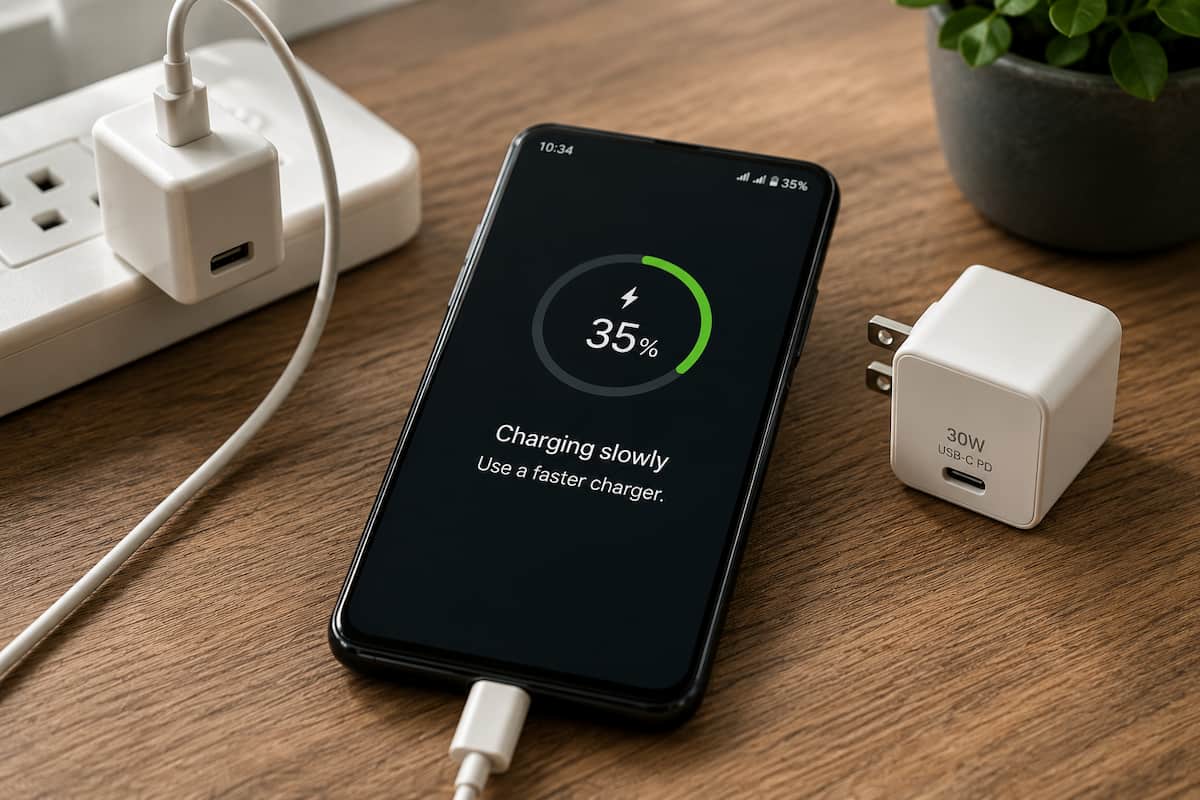
Why is my phone charging slowly? In most cases, the problem is an underpowered charger, a worn or unsuitable cable, debris in the charging port, excessive heat, heavy phone use while charging, or an aging battery. Start with the charger and cable because they are the quickest things to test, then work through the remaining fixes below.
Phone Charging Slowly
Table of Contents
How to Fix Slow Phone Charging
If your phone is charging slowly, work through these seven checks before assuming the phone needs repair.
- Try a known-good fast charger.
- Swap in a different charging cable.
- Inspect the charging port for lint or debris.
- Let the phone cool down.
- Stop heavy apps while the phone charges.
- Try another outlet or vehicle charger.
- Check battery health if slow charging continues.
A phone that charges normally after changing the charger or cable usually does not have a serious hardware problem. If slow charging continues with several known-good chargers and cables, then the charging port, heat management, battery, or phone itself deserves a closer look.
| Possible Cause | What You May Notice | What to Try |
|---|---|---|
| Underpowered charger | Charging Slowly warning or very gradual battery gain | Try a compatible USB-C PD charger |
| Worn or unsuitable cable | Loose connection, intermittent charging, reduced speed | Use a known-good cable rated for the charging power you need |
| Dirty charging port | Cable feels loose or charging stops when the connector moves | Inspect the port and gently remove loose debris |
| Heat | Phone feels warm and charging speed drops | Let the phone cool and reduce heavy use |
| Aging battery | Slow charging continues with several known-good setups | Check battery health or consider professional service |
Why Is My Phone Charging Slowly?
A phone charging slowly usually means the phone is receiving less usable power than it could accept, or it is consuming a large portion of that power while plugged in.
Many current phones support wired charging at 20 watts or more. Some models can accept considerably higher charging rates when paired with the correct charger and charging standard. An older 5 watt USB adapter can still charge many modern phones, but the process can take much longer.
The same thing can happen if the charger is powerful enough but the cable cannot carry the required power reliably.
There is another possibility. Your phone may be drawing a significant amount of power while it charges. Navigation, gaming, video streaming, hotspot use, high screen brightness, and weak cellular reception can consume enough power that the battery percentage barely moves.
1. Check the Charger
The charger is the first thing to test because older charging blocks often provide much less power than current phones can use.
Older USB chargers were commonly rated at 5 watts. That may be enough to charge a phone overnight, but it is far below the fast-charging capability of many current smartphones.
USB-C Power Delivery, commonly called USB-C PD, allows compatible phones and chargers to negotiate higher charging levels. Some Android phones also use PPS for their fastest charging modes.
A higher-wattage compatible charger does not force excessive power into your phone. The phone and charger negotiate how much power the device can accept.
For example, a 30 watt charger can safely power a phone that only accepts 20 watts. The phone simply draws the amount it supports.
2. Try a Different Charging Cable
A good charger cannot deliver its full output through a damaged or unsuitable cable.
USB-C cables can look almost identical while supporting very different charging capabilities. A damaged cable, a low-quality cable, or one that is not rated for the charging level your phone needs can reduce charging speed.
Cables commonly fail near the connector because that area gets bent repeatedly during everyday use. A cable can look perfectly normal on the outside while the conductors inside are already damaged.
| Cable Type | What to Look For | Best For |
|---|---|---|
| USB-C to USB-C | Clearly rated for the power your charger and phone require | Current phones and tablets |
| USB-A to USB-C | Quality cable matched to the charger and phone | Older chargers and vehicle USB-A ports |
| USB-C to Lightning | Compatible cable paired with a USB-C PD charger | Lightning-equipped iPhones |
Recommended Fixes for Slow Charging
If testing points to the charger, cable, or power source, these are the replacements I would look at first. Each one solves a slightly different version of the problem, so there is no reason to buy all of them.
| Product | Best For | Type |
|---|---|---|
| Anker Nano 30W USB-C Charger | Best value wall charger | 30W USB-C charger |
| Anker Nano Smart Display Charger | Best premium wall charger | 45W USB-C smart charger |
| Anker 60W USB-C Cable 2-Pack | Replacing a questionable USB-C cable | USB-C to USB-C cable |
| UGREEN 130W USB-C Car Charger | Replacing a weak factory USB car port | Three-port 12V car charger |
| Anker Prime Qi2 25W Car Charger | Complete wireless car charging setup | Qi2 magnetic vent mount with active cooling |
Anker Nano 30W USB-C Charger: Best Value Wall Charger
The Anker Nano 30W is the simple choice if you are still charging from an older low-output block. It provides enough power for fast charging on many current phones without paying for features you may not need.
It is also small enough to keep in a travel bag or move between rooms, which makes it a much more useful everyday replacement than another basic low-power adapter.
Anker Nano Smart Display Charger 45W: Best Premium Wall Charger
The 45W Anker Nano Smart Display Charger is a step up if you want more charging headroom and additional charging information.
It can supply up to 45 watts and includes a built-in display. Anker also advertises device recognition, update support, and battery-care features on this newer model. Those extras are not necessary to solve every slow-charging problem, but they make it a better fit for someone who wants more information about what the charger is doing.
Anker 60W USB-C Cable 2-Pack: Best Cable Replacement
If the charger is fine but the cable is questionable, this is the cleaner replacement.
The Anker USB-C to USB-C cable is rated for up to 60 watts, which is more than enough for typical smartphone charging. The two-pack also gives you a spare cable for the car, office, or travel bag.
A replacement cable cannot make an underpowered charger faster, but it can eliminate one of the most common causes of intermittent or reduced charging speed.
UGREEN 130W USB-C Car Charger: Best Car Charger
The UGREEN 130W charger is the pick for a phone that charges properly at home but crawls when connected to the vehicle’s built-in USB port.
It plugs into the 12 volt accessory outlet and provides three charging ports, including USB-C. That makes it useful for a phone running navigation while also powering another device.
The important point is not the large total wattage number by itself. A dedicated USB-C car charger can provide far more usable charging power than many older factory USB ports.
Anker Prime Qi2 25W: Best Complete Car Charging Solution
If you want to replace the mount and charging setup at the same time, the Anker Prime Qi2 25W wireless car charger is the complete solution.
It combines a magnetic vent mount, Qi2 wireless charging, active cooling, and the power hardware needed to run the system properly. That is especially useful in a car, where heat from the windshield, navigation, and wireless charging can all work against charging speed.
On compatible newer iPhones, the Prime supports Qi2 charging up to 25 watts. Anker says the system requires at least a 45W power source for full 25W charging and proper cooling, and the package includes a 60W dual-port car adapter and USB-C cable. The vent mount is not universal, so check your vent style before buying. :chatgpt-content-reference{index=”1″}
3. Check the Charging Port
Pocket lint and other debris can gradually collect inside a USB-C or Lightning port until the connector no longer seats fully.
A common sign is a charging cable that suddenly feels loose or only works when held at a certain angle.
Turn the phone off and inspect the charging port under good lighting. If you see loose debris, remove it carefully with a dry, soft brush or another nonmetallic tool intended for electronics.
Do not scrape the electrical contacts or force a tool deep into the port.
If the connector looks bent, corroded, burned, or physically damaged, stop using the port and have the phone inspected.
4. Let the Phone Cool Down
Modern phones actively control charging speed to protect the battery.
If the phone gets too warm, charging may slow or temporarily pause. This is common when charging in direct sunlight, inside a hot vehicle, while using navigation, or while playing graphics-heavy games.
A phone mounted near the windshield can get especially warm because it is exposed to sunlight while also running navigation and charging at the same time.
If the phone feels hot, disconnect it for a few minutes, move it out of direct sunlight, and let it cool before charging again.
5. Stop Heavy Apps While Charging
Your charger may be working normally while the phone itself is consuming much of the incoming power.
Navigation, games, video streaming, hotspot use, high screen brightness, and poor cellular reception can all increase power consumption.
If your battery gains charge quickly when the screen is off but barely moves while you are using the phone, the charger may not be the main problem.
Try closing demanding apps and leaving the phone idle for 15 to 20 minutes.
6. Try Another Outlet or Power Source
If changing the charger and cable does not help, test another wall outlet or power source.
A damaged or loose wall outlet can cause intermittent charging. In a vehicle, the problem may be the factory USB port rather than the phone or charging cable.
Many older vehicle USB ports were designed mainly for data connections and supply much less power than a current phone can use.
If the phone charges quickly at home but slowly in the car, try a dedicated USB-C car charger plugged into the vehicle’s 12 volt accessory outlet.
7. Check Battery Health
Battery wear becomes more likely if your phone still charges slowly after you have tested several known-good chargers, cables, and power sources.
An aging battery may charge more slowly, drain faster, or show inconsistent battery percentages.
Rule out the charger, cable, charging port, heat, and heavy phone use first because those problems are easier and less expensive to correct.
If slow charging continues across several charging setups, especially if the battery is also draining unusually fast, battery service may be the next step.
Slow charging checklist:
- Try a compatible fast charger
- Swap in a known-good cable
- Inspect the charging port for debris
- Let the phone cool down
- Avoid heavy use while charging
- Try another outlet or vehicle power source
- Check battery health if the problem continues
Why Does My Phone Charge Slowly in the Car?
If your phone charges quickly at home but slowly in the car, the vehicle’s USB port is one of the first things to check.
Older factory USB ports often provide less charging power than a current smartphone can use. The difference becomes more noticeable while the phone is running navigation, streaming music, maintaining a Bluetooth connection, and keeping the screen illuminated.
For wired charging, the UGREEN 130W USB-C car charger is the simpler fix. It bypasses the weak factory USB port and uses the vehicle’s 12 volt outlet instead.
If you also want a new phone mount, the Anker Prime Qi2 wireless car charger combines the mount and charging system in one setup.
Wireless charging mounts still need adequate input power. A capable Qi2 or MagSafe-compatible mount cannot deliver its intended output if the power source feeding it is underpowered.
Heat plays a role as well. A phone mounted near the windshield may be exposed to sunlight while running navigation and wireless charging simultaneously. Anker uses active cooling in the Prime specifically to help manage that heat during charging. :chatgpt-content-reference{index=”2″}
Frequently Asked Questions
Why does my phone say Charging Slowly with a charger that used to work?
Try another cable first. Charging cables can wear internally even when they look fine from the outside. Also inspect the charging port for debris, try another outlet, and make sure the phone is not unusually hot. Testing another known-good charger will help determine whether the original charger has failed.
Does a phone case cause slow charging?
A case does not normally reduce wired charging speed by itself, but a thick case can trap heat. If the phone becomes hot enough for thermal protection to reduce charging speed, removing the case may help it cool.
Can a wall outlet cause slow charging?
It can cause charging problems, especially if the outlet is loose or damaged. If the charger cuts in and out or feels loose in the receptacle, try another outlet.
Is a slow charger bad for my phone?
Slow charging by itself does not necessarily indicate a problem. The more important concern is whether the charger or cable is damaged, overheating, or making an unreliable connection.
Will wireless charging fix slow wired charging?
Not necessarily. Wireless charging can bypass a damaged charging port, but it will not solve an underpowered power adapter or excessive phone heat. Depending on the phone and charger, wireless charging may also be slower than wired charging.
Why does my phone charge slowly after 80 percent?
Phones often reduce charging speed as the battery approaches a high state of charge. Battery protection and optimized charging features may intentionally slow or pause charging near the top of the battery’s range.
Why does my phone charge slowly only in the car?
The vehicle’s built-in USB port may not provide enough power, particularly while navigation, Bluetooth, streaming audio, and the display are in use. Try a dedicated USB-C charger connected to the vehicle’s 12 volt accessory outlet.
